

C2PA implementation guide
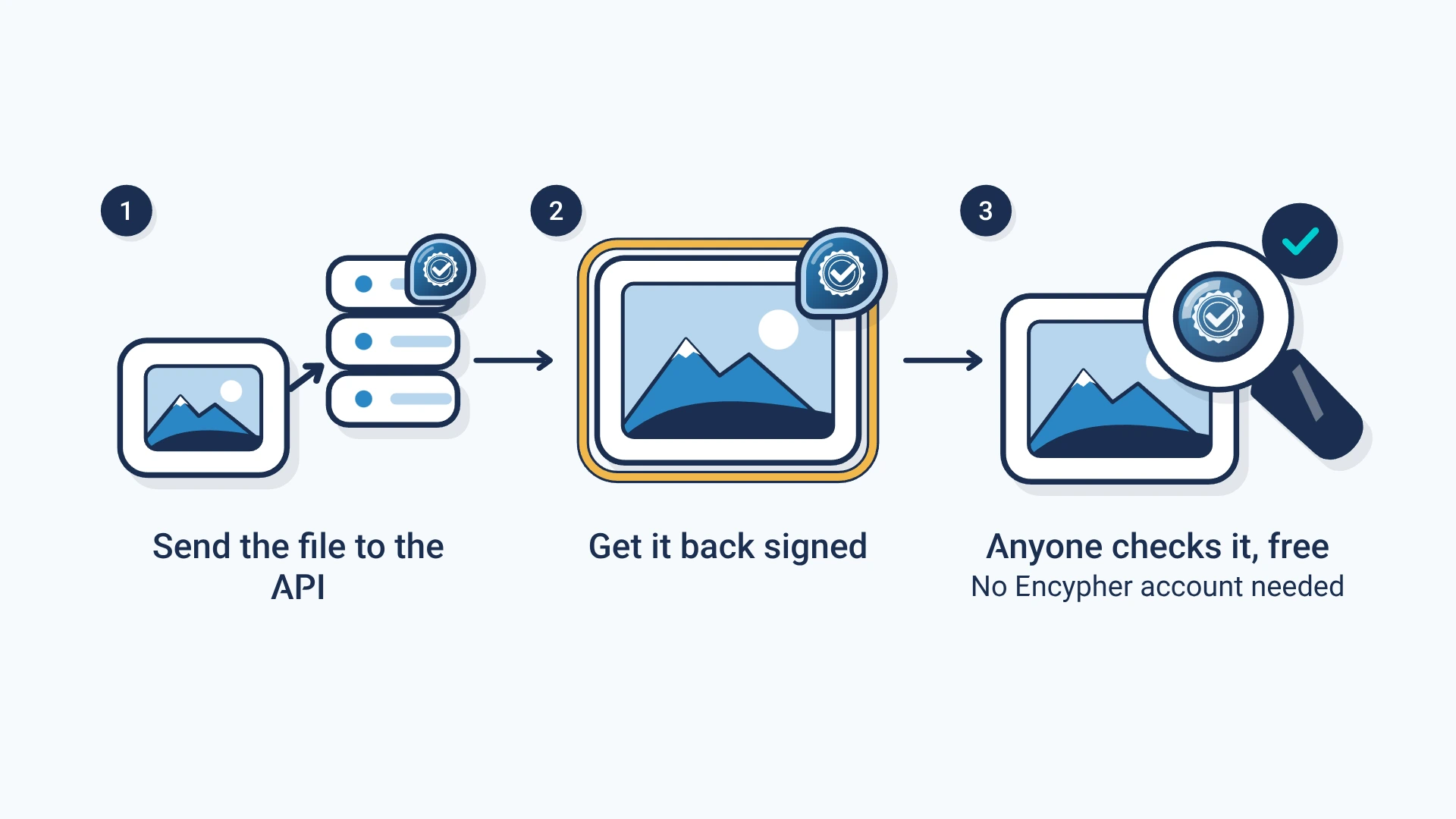
Send content to our APIAPI: Application programming interface: a way for one program to ask another to do a job, such as sign a file. in one call and get it back with a C2PA labelC2PA manifest: The signed label itself: a small package inside a file that records who signed it, what they declared and how to check it.. Anyone can then check it for free, with no account.
- Sign
- One call for text, one for files.
- Check
- A public call. No key needed.
- Docs
- Every field and error in the API reference.
- Formats
- 75+ formats for signing and verification.
Three steps to a signed file
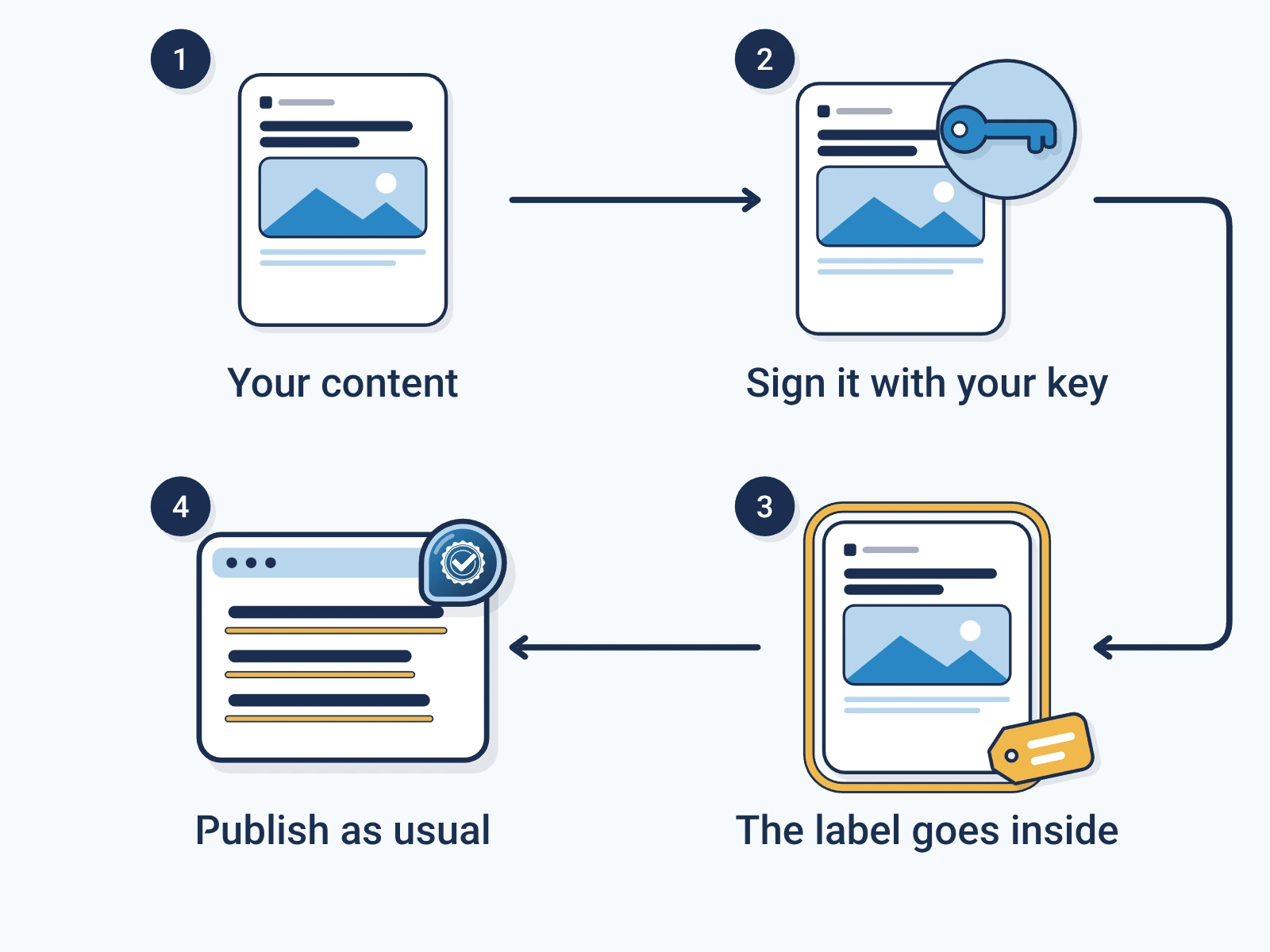
Get a key.
Make a free account and copy your API keyAPI key: A secret string that identifies your account when your software calls an API. Keep it out of public code..
Create an accountSend the content.
Post text or a file. The API adds the label and signs it.
Publish the signed copy.
Serve what comes back. It looks the same to readers.
Where to sign in your stack
- WordPress
- Sign on publish. Our plugin does it for you.
- Other CMS
- Listen for the publish event, sign, then save the signed copy.
- Static sites
- Sign at build time. No signing at run time.
- AI apps
- Sign after the model answers and before the user sees it.
How checking works
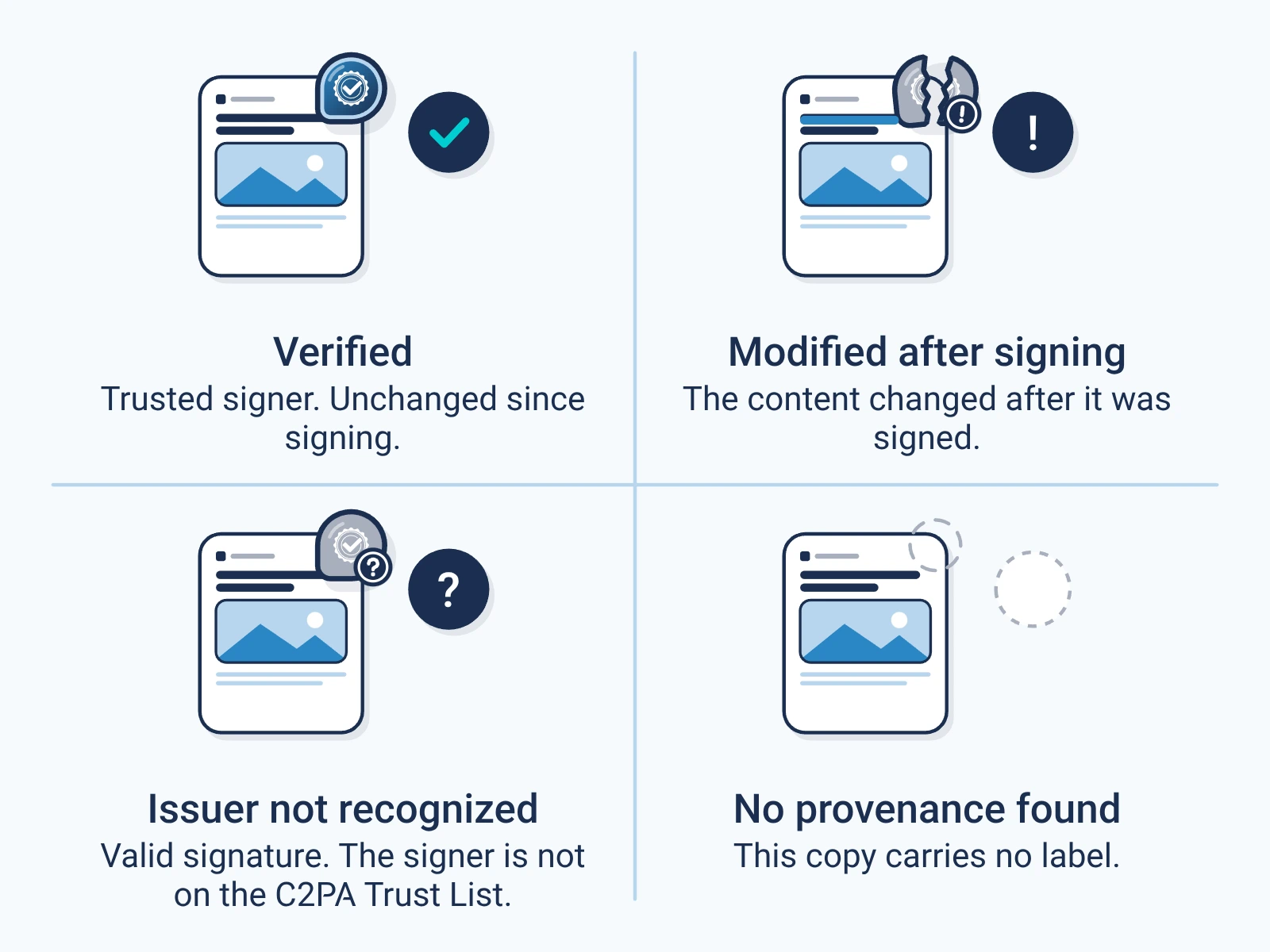
The check is a public call. It needs no key and no account. Any app that follows C2PAC2PA: The Coalition for Content Provenance and Authenticity: the group that publishes the open standard for content labels. can check files we sign, too.
The result shows who signed, what they declared, and if the content changed. It does not say the content is true. Try the free checker.
What it costs
Publishers sign free for normal publishing. Fair-use limits apply. Teams marking AI output get 1,000 outputs a month on the free trial.
Your own company name on the label comes with a paid plan. See pricing.
For engineers
Show the technical detail
Quickstart code
curl -X POST https://api.encypher.com/api/v1/sign \
  -H "Authorization: Bearer YOUR_API_KEY" \
  -H "Content-Type: application/json" \
  -H "Idempotency-Key: $(uuidgen)" \
  -d '{
    "text": "Your article text.",
    "document_title": "My article",
    "options": { "segmentation_level": "sentence" }
  }'
curl -X POST https://api.encypher.com/api/v1/sign/media \
-H "Authorization: Bearer YOUR_API_KEY" \
-F "file=@photo.jpg"# No API key needed
curl -X POST https://api.encypher.com/api/v1/public/verify \
-H "Content-Type: application/json" \
-d '{"text": "Signed text to check."}'Signing options for text
- segmentation_level
- document (default), sentence, paragraph or section. Sentence gives per-sentence checks.
- manifest_mode
- full (default) or micro, a compact per-segment marker.
- digital_source_type
- An IPTC digital source type, such as trainedAlgorithmicMedia for AI output.
- rights
- Rights metadata: copyright holder, license URL, and AI training, inference and data mining permissions.
- use_rights_profile
- Embed your saved rights profile instead of passing rights each time.
Every field, response and error code is in the API reference. Send an Idempotency-Key on sign calls so a retry does not sign twice.