

HEIF content provenance
Content provenanceContent provenance: The record of where a piece of content came from and how it changed, carried with the content itself. for HEIF files is a signed C2PA manifestC2PA manifest: The signed label itself: a small package inside a file that records who signed it, what they declared and how to check it. inside the file. Anyone can check who signed it and whether it changed, for free.
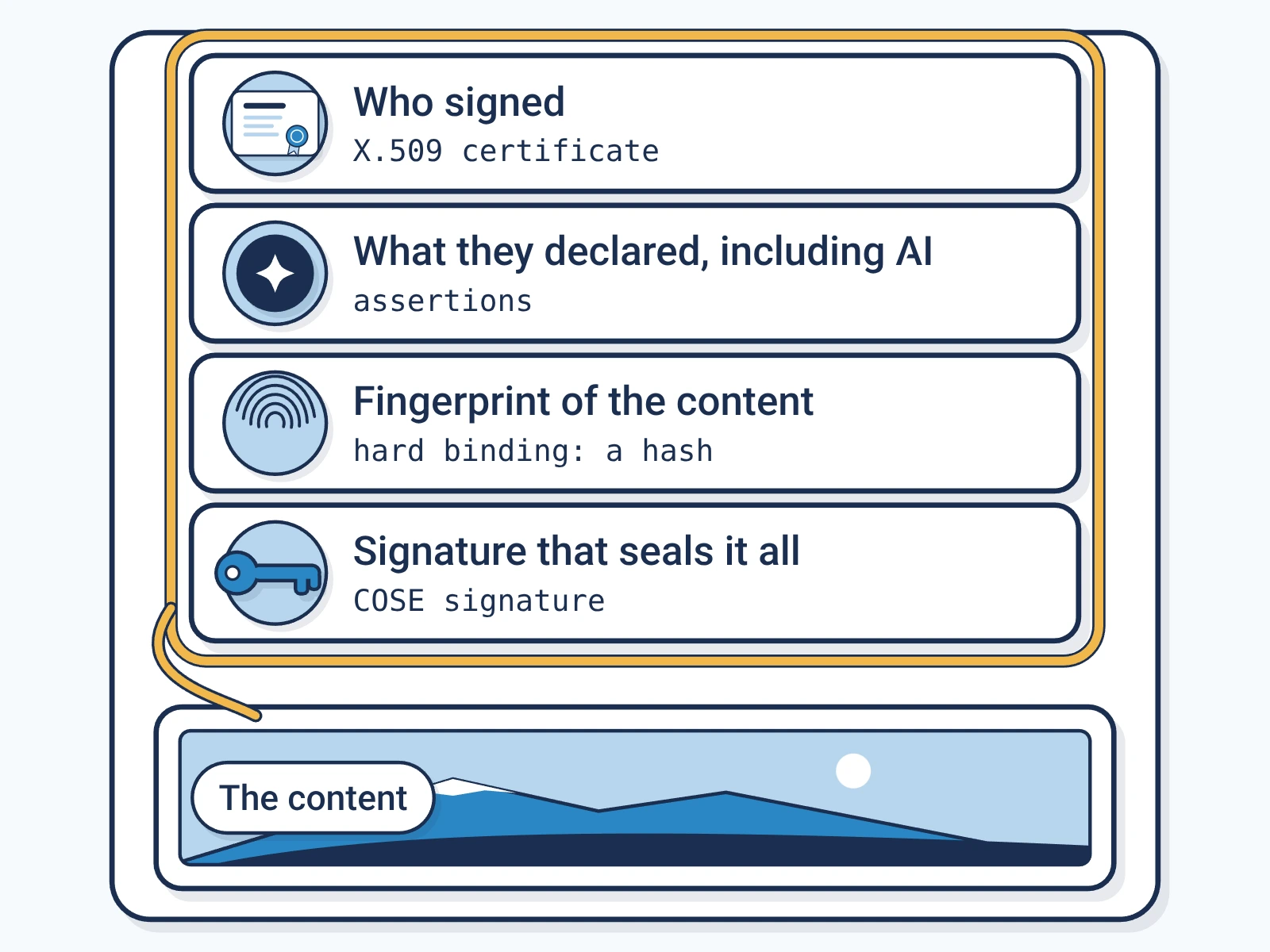
- File
- .heif, MIME typeMIME type: The standard name for a file format, such as image/jpeg or audio/wav, that software uses to decide how to read a file.
image/heif - Where the label sits
- Inside the file, in its own box, one of the labelled parts the file is built from.
- Standard
- C2PAC2PA: The Coalition for Content Provenance and Authenticity: the group that publishes the open standard for content labels., the open standard for content labels.
- Made for
- Camera output, Editing workflows, Cross-platform photos
What Encypher supports for HEIF
- SignSupported
Encypher signs HEIF files under C2PA 2.2 and 2.4.
- CheckSupported
Free in the browser checker, with no account.
- Formal conformanceSupported
Covered by our C2PA 2.2 conformance record.
How to check a HEIF file
Open the free checker.
It runs in your browser. No account needed.
Open the checkerAdd your HEIF file.
Drop it in or pick it from your device.
Read the result.
It shows who signed and what they declared, such as AI use. It also shows if the file changed.
Where the label sits in a HEIF file
The file is made of nested boxes, a layout called ISO BMFFBMFF: ISO Base Media File Format: the box structure behind MP4, MOV, HEIF and similar files.. The label gets a box of its own.
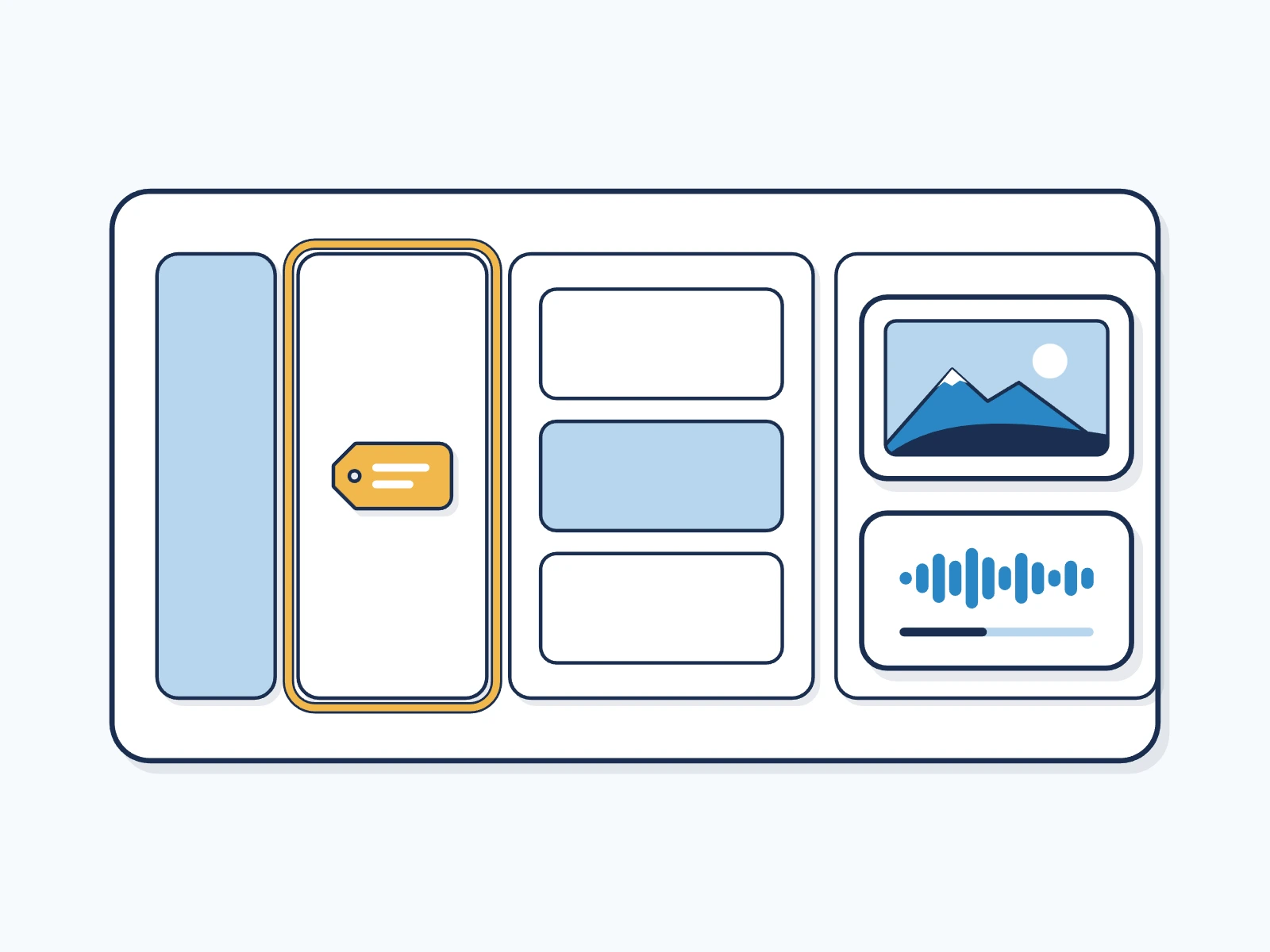
HEIF is the general high-efficiency image format that HEIC is one case of. Cameras and editing tools outside Apple use it too.
What keeps the label on a HEIF file
You can add a hidden watermarkWatermark: A mark placed in the content itself, visible or hidden, so it can be found again after the file is copied. when you sign. If a copy loses its label, the watermark can lead back to the record.
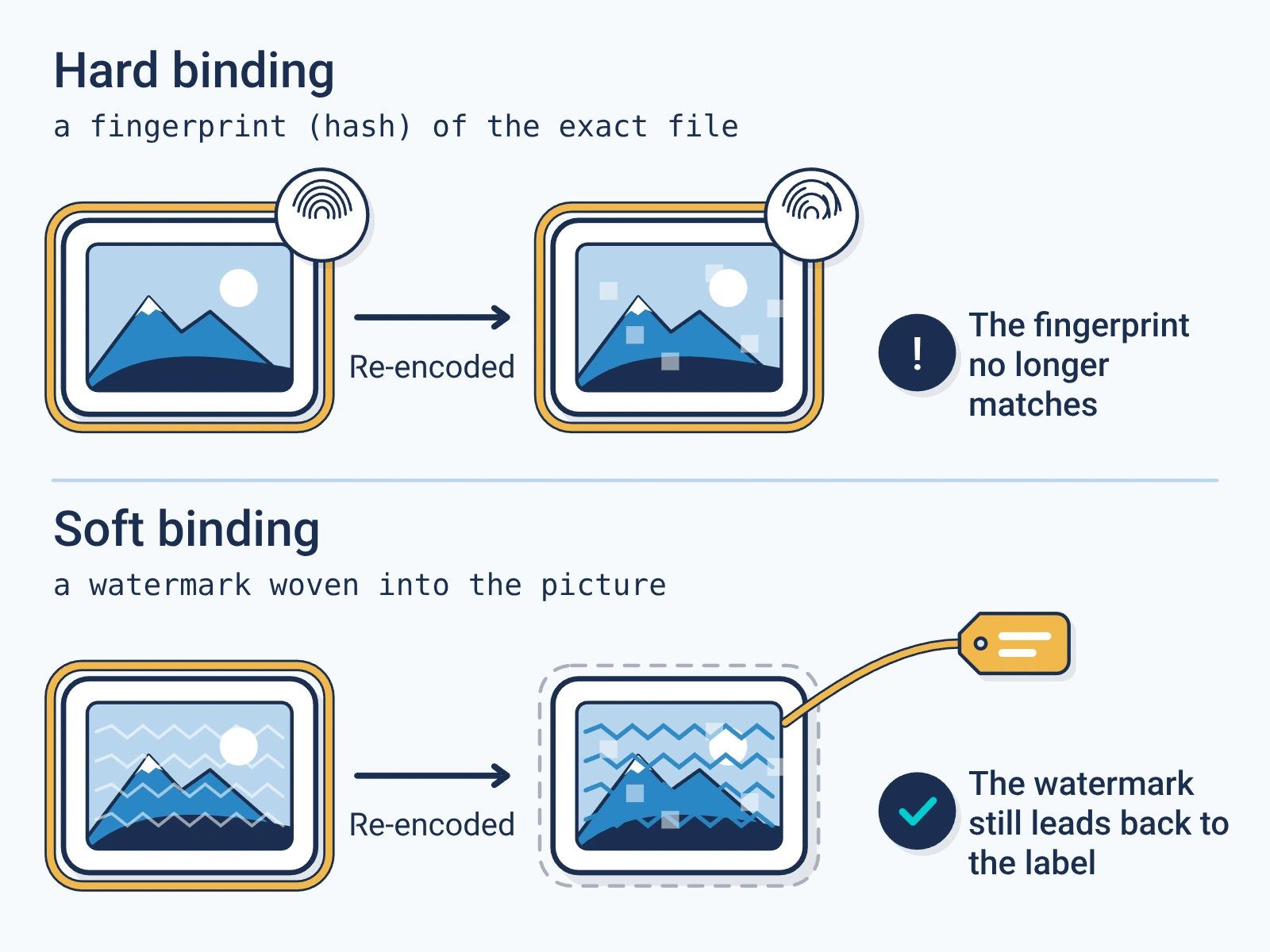
- Copying, emailing and downloading the file keep the label.
- Editing the picture after signing shows as a change.
- Some social sites and image services rebuild the file and drop the label. Then the check finds no label.
For engineers
Show the technical detail
- Embedding
- JUMBF manifest store in a C2PA uuid box in the ISO BMFF structure
- Accepted MIME types
- image/heif
- Signing versions
- C2PA 2.2, 2.4
- Verification
- Any version. The checker reads any C2PA manifest it can parse, and the report names the version it checked against.
curl -X POST https://api.encypher.com/api/v1/sign/media \
  -H "Authorization: Bearer $ENCYPHER_API_KEY" \
  -H "Idempotency-Key: $(uuidgen)" \
  -F "file=@example.heif" \
  -F "title=My HEIF file" \
  -F "action=c2pa.created"
curl -X POST https://api.encypher.com/api/v1/public/verify/media \
-F "file=@signed-example.heif" \
-F "mime_type=image/heif"Support rows come from the live API capability matrix. Full reference: C2PA media types.
Create. Mark. Endure.
Sign your first HEIF file free. Checking stays free for everyone.