

What do you want to know?
Ask anything. When the answer is done, Encypher signs it and adds a hidden label to each sentence.
How it worksEnter to send, Shift+Enter for a new line. Paste any answer into the free checker to see who signed it.
What happens to each answer
The sentence The pool opens Monday appears on a card with a gold stitch under it, labeled Signed text. One copy drops into an app window and keeps its stitch; a check mark appears: This app keeps it. A second copy drops into another app and its stitch fades away; a question mark appears: This app strips it.
The AI writes the answer.
Ask anything. The answer streams in like any chatbot.
Encypher signs it.
Each sentence gets a hidden label. It names Encypher as the signer and says an AI wrote it.
Anyone can check it.
Copy a sentence, paste it into the free checker, and see who signed it and whether a word changed.
What you see under each answer
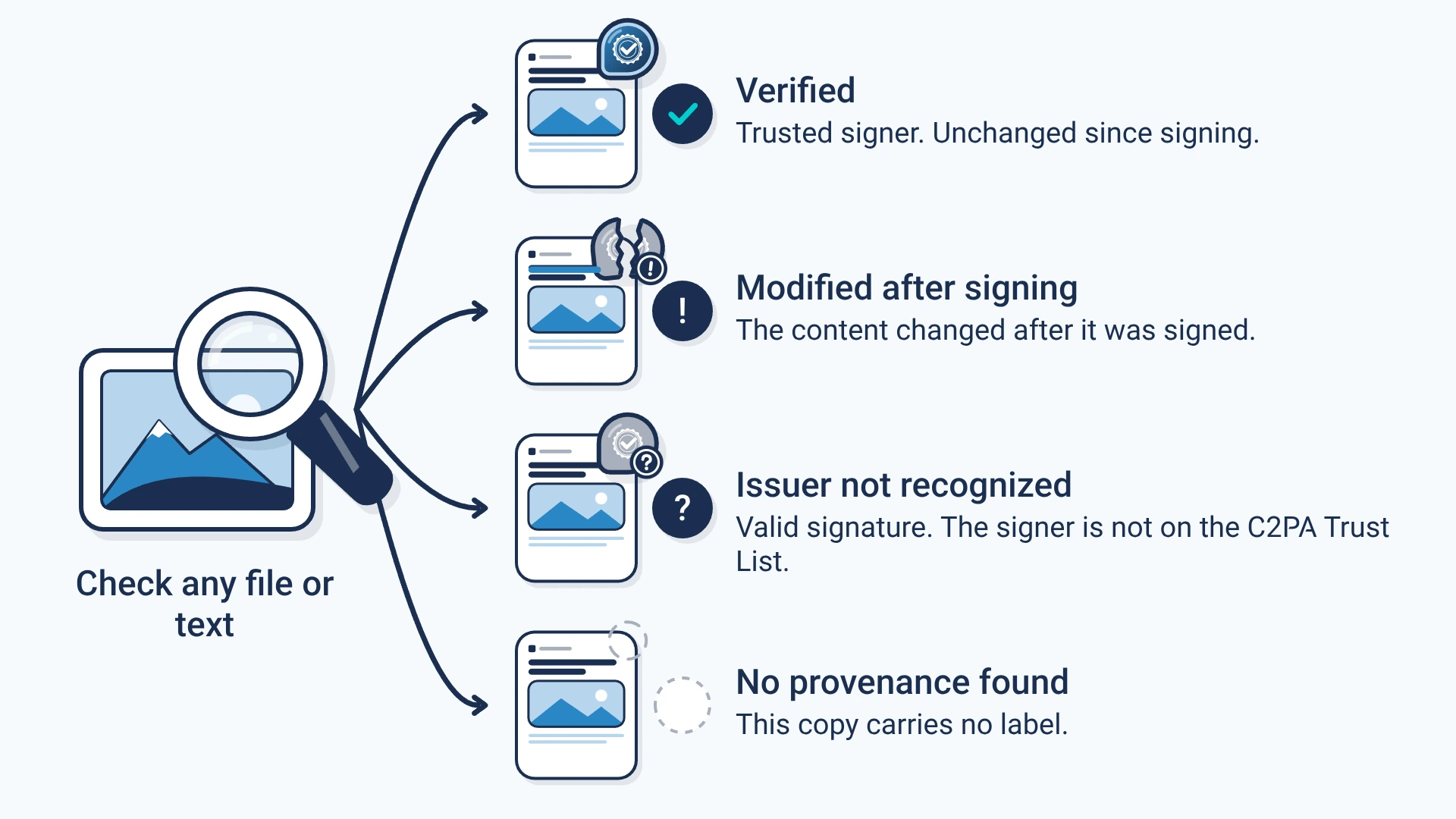
Signed means every sentence carries its own label, so each one can be checked alone. Partly signed means some sentences carry a label. Not signed means signing did not finish, and the chat says so.
The label tells you who signed the answer and whether it changed. It does not tell you the answer is true. Most apps keep the label when you copy and paste; some strip it.
Create. Mark. Endure.
Want every answer from your own chatbot signed the same way?