

Free explainers on C2PA, AI watermarks and Content Credentials
A visible label, an invisible watermarkWatermark: A mark placed in the content itself, visible or hidden, so it can be found again after the file is copied. and a signed Content CredentialContent Credentials: The public name for a C2PA label, often shown as a small CR icon that opens who signed the content and what they declared. each answer a different question. These short guides say what each one shows and where it stops. No signup needed.
Choose an explainer
Each guide cites its sources: the C2PAC2PA: The Coalition for Content Provenance and Authenticity: the group that publishes the open standard for content labels. specification, Google, OpenAI, Adobe, Microsoft or Apple. Read it here or keep the PDF.
- C2PA vs AI watermarking: what each tells you. C2PA, AI watermarks, visible labels and AI detectorsAI detector: A model that guesses whether content was made by AI and returns a probability, not proof. compared. See what each one shows, and what a missing signal means. PDF: C2PA vs AI watermarking: what each tells you
- Content Credentials, provenance and authenticity explained. What Content Credentials and digital provenanceContent provenance: The record of where a piece of content came from and how it changed, carried with the content itself. mean, with a short checklist for judging a signed file and its limits. PDF: Content Credentials, provenance and authenticity explained
- PDF watermarking: visible labels and verifiable provenance. Add a visible PDF watermark in Acrobat. Learn how it differs from a signature, and check the file you send. PDF: PDF watermarking: visible labels and verifiable provenance
- PowerPoint and Keynote watermarks explained. Add a repeating watermark in PowerPoint or Keynote. Then check the exported PDF before you share it. PDF: PowerPoint and Keynote watermarks explained
Download the collection
Free, direct downloads. No email or account, and nothing to subscribe to.
- Complete resource pack (ZIP). All four guides, the editable set and the deck, in one file.
- Editable guide collection (DOCX). All four guides in one document you can edit.
- Guide collection (PDF). All four guides in one file to read or print.
- Provenance presentation (PPTX). A deck you can edit in PowerPoint. Keynote can open it, but check the layout. It is not a .key file.
- Provenance presentation (PDF). The same deck as a PDF, to read and share.
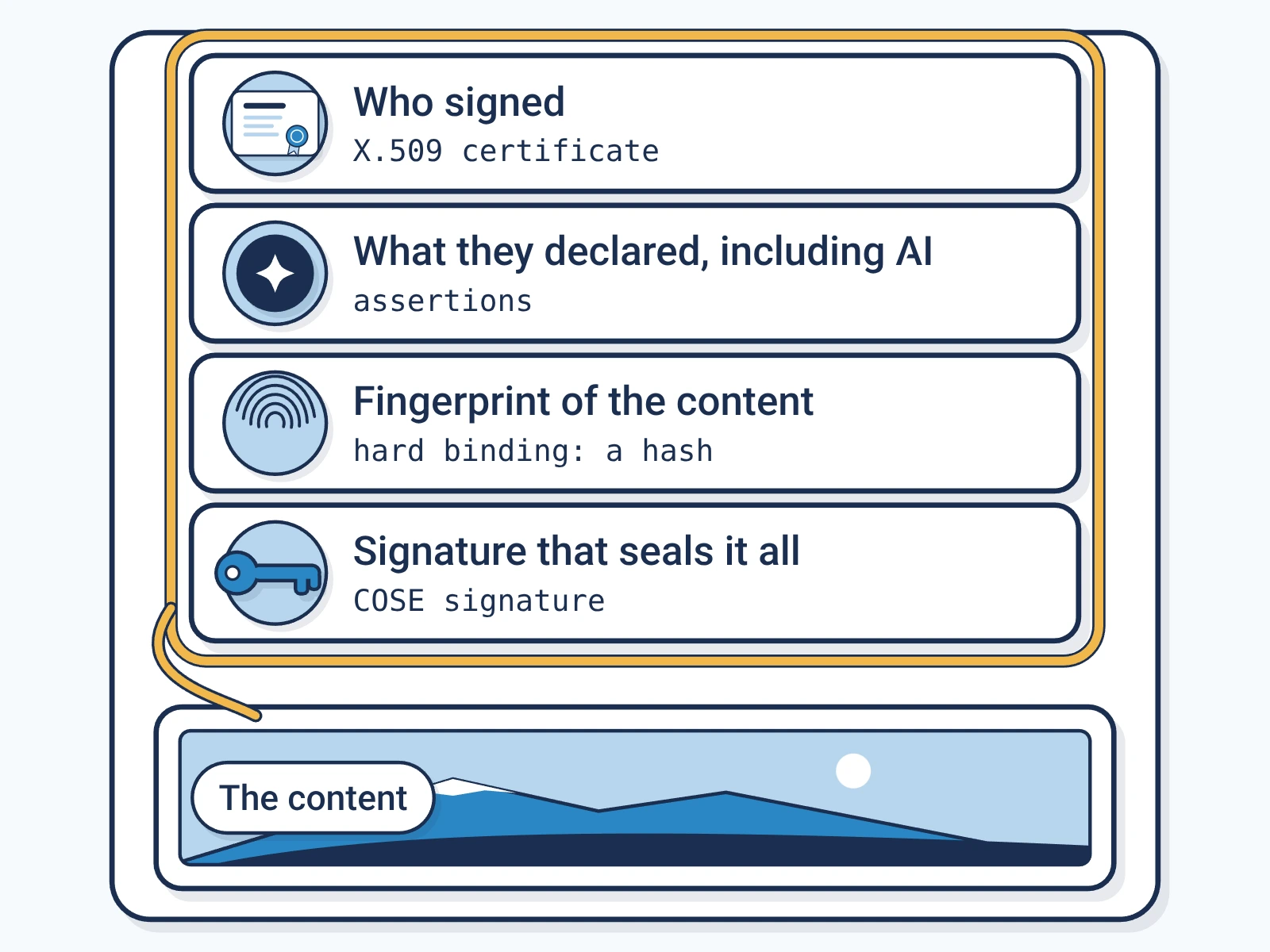
Each file is signed by Encypher Official. Open the file you downloaded in the public checker. The check shows who signed and whether the file changed. It does not prove the content is true. An edited or exported copy is a new file, so check it on its own.
Create. Mark. Endure.
Got a file with a label on it? Check who signed it and whether it changed.