

C2PA vs AI watermarking: what each tells you
C2PAC2PA: The Coalition for Content Provenance and Authenticity: the group that publishes the open standard for content labels., AI watermarksWatermark: A mark placed in the content itself, visible or hidden, so it can be found again after the file is copied., visible labels and AI detectorsAI detector: A model that guesses whether content was made by AI and returns a probability, not proof. compared. See what each one shows, and what a missing signal means.
Download this guide (PDF). Free, with no email or account.
Four signals, four different questions
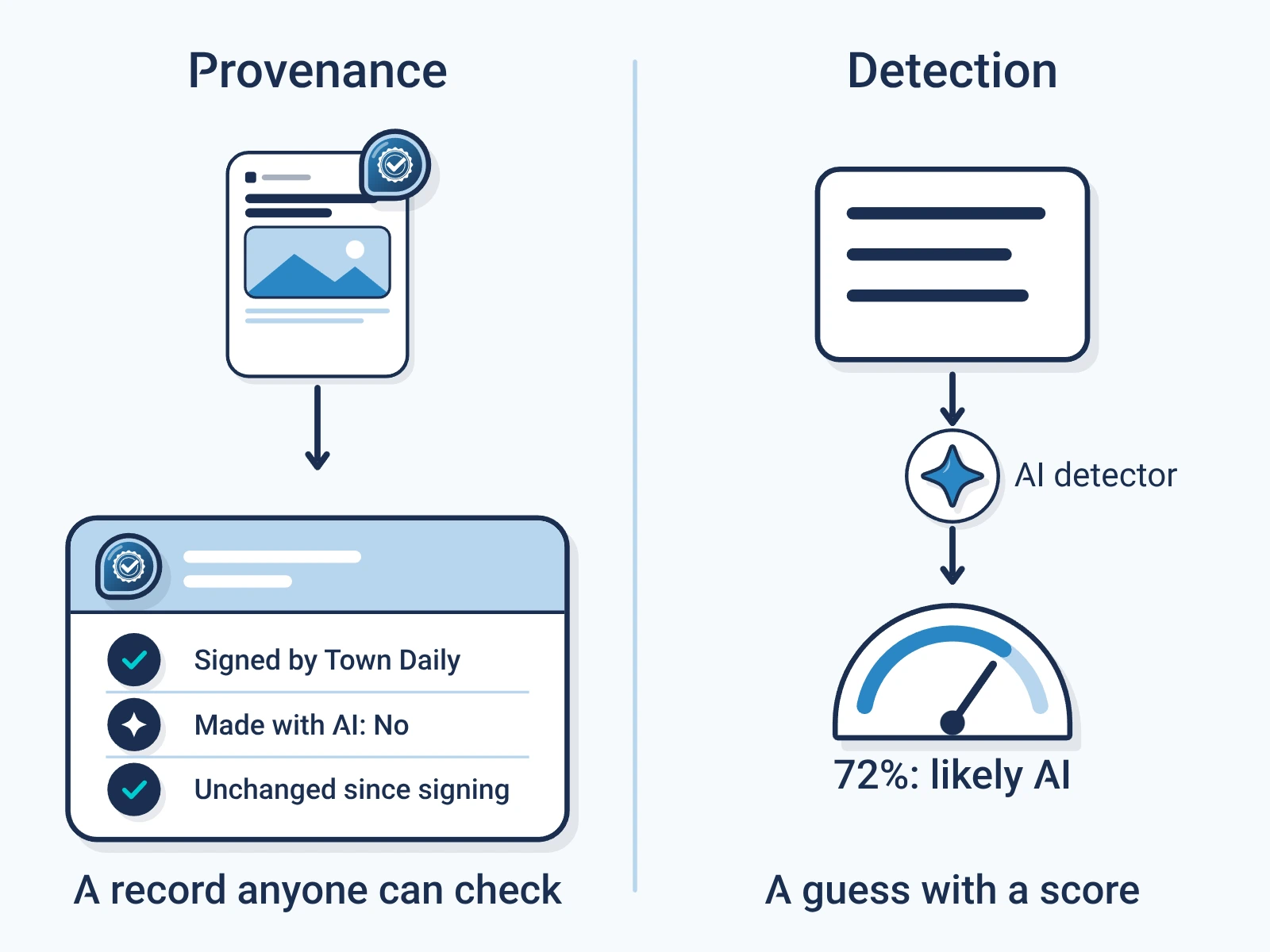
An image arrives with an 'AI-generated' label. That label, an invisible watermark, a Content CredentialContent Credentials: The public name for a C2PA label, often shown as a small CR icon that opens who signed the content and what they declared. and an AI detector result are four kinds of evidence. Treat them as one and a useful clue can become a wrong conclusion.
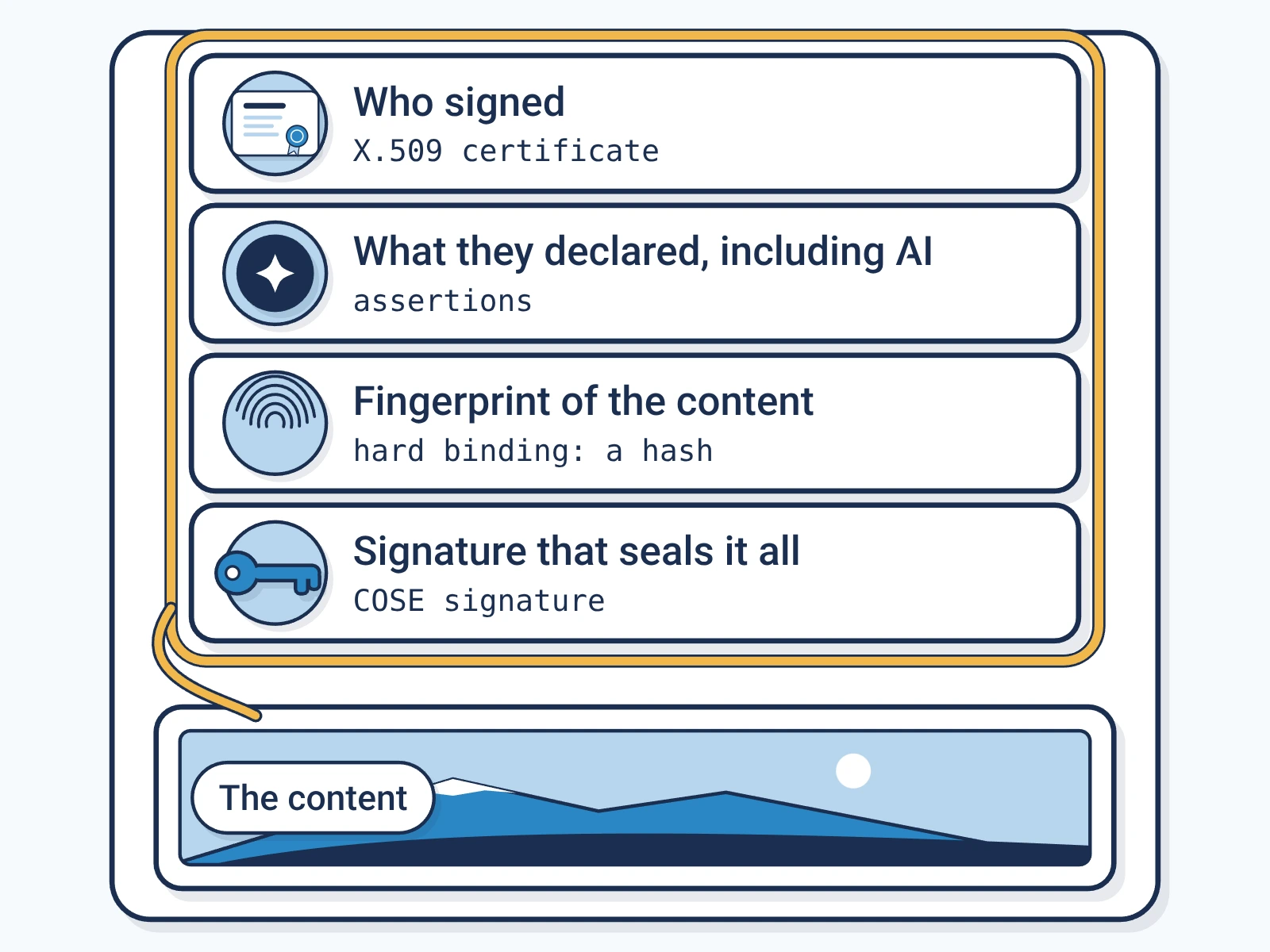
C2PA 2.4 describes signed provenanceContent provenance: The record of where a piece of content came from and how it changed, carried with the content itself.: statements about where a file came from and how it changed, tied to the file by cryptography. It works for AI and non-AI work. It does not look at the pixels and decide whether AI made them. [1] Encypher's explainer shows how signing and checking work. [5]
- Visible label: text or a badge tells people something. On its own, it proves nothing.
- Embedded watermark: a signal placed inside content on purpose, read by a matching detector. SynthIDSynthID: Google DeepMind's statistical watermark, added while a model generates content and read by Google's detector. adds hidden signals to supported AI output. [2]
- Signed provenance: a C2PA manifestC2PA manifest: The signed label itself: a small package inside a file that records who signed it, what they declared and how to check it. records statements, and a checker tests that they are intact, tied to the file and signed. [1]
- Classifier: a model guesses whether content looks like AI output, with no signal added on purpose. It can be wrong. [4]
First ask which method produced the result.
How watermarks and provenance work together
SynthID is one AI watermark. Google DeepMind says it adds signals to images, audio, video and text. For text, it nudges word choices as the model writes. Its detector looks for that system's signal only. [2]
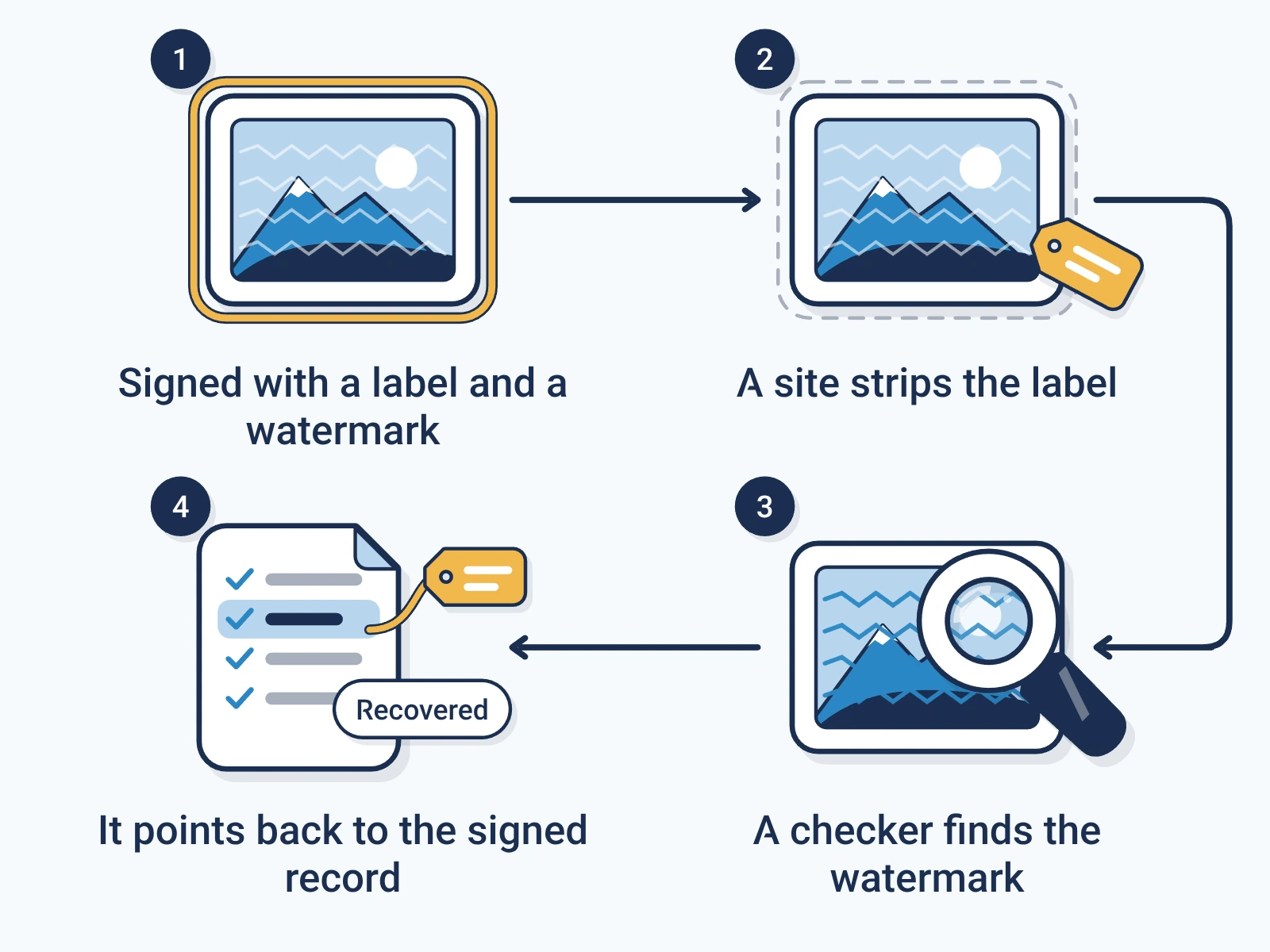
A C2PA manifest can say more: how a file was made, how it was edited and what went into it. C2PA also supports soft bindingsSoft binding: A watermark or fingerprint that can find a content label again after the file was copied or its metadata stripped., such as watermarks and fingerprints. These help find a credential after the metadataMetadata: Data stored beside the content in a file, such as author, camera or date. Many tools strip it when they copy or upload a file. is gone. A watermark that finds a record and one that marks AI output may carry different information. [1]
An illustration: a publisher releases an AI picture with a visible note, a generation watermark and a signed record of how it was made. A reader can see the note, check the watermark and open the record. Each answers a different question.
- How long a mark lasts depends on the system and the edit. Google warns that repeated changes can stop detection. [3]
- A record found by lookup still needs checking. A match alone is not a valid signature or an exact copy. [1]
Evidence that works together is still not the same evidence.
What a missing signal means
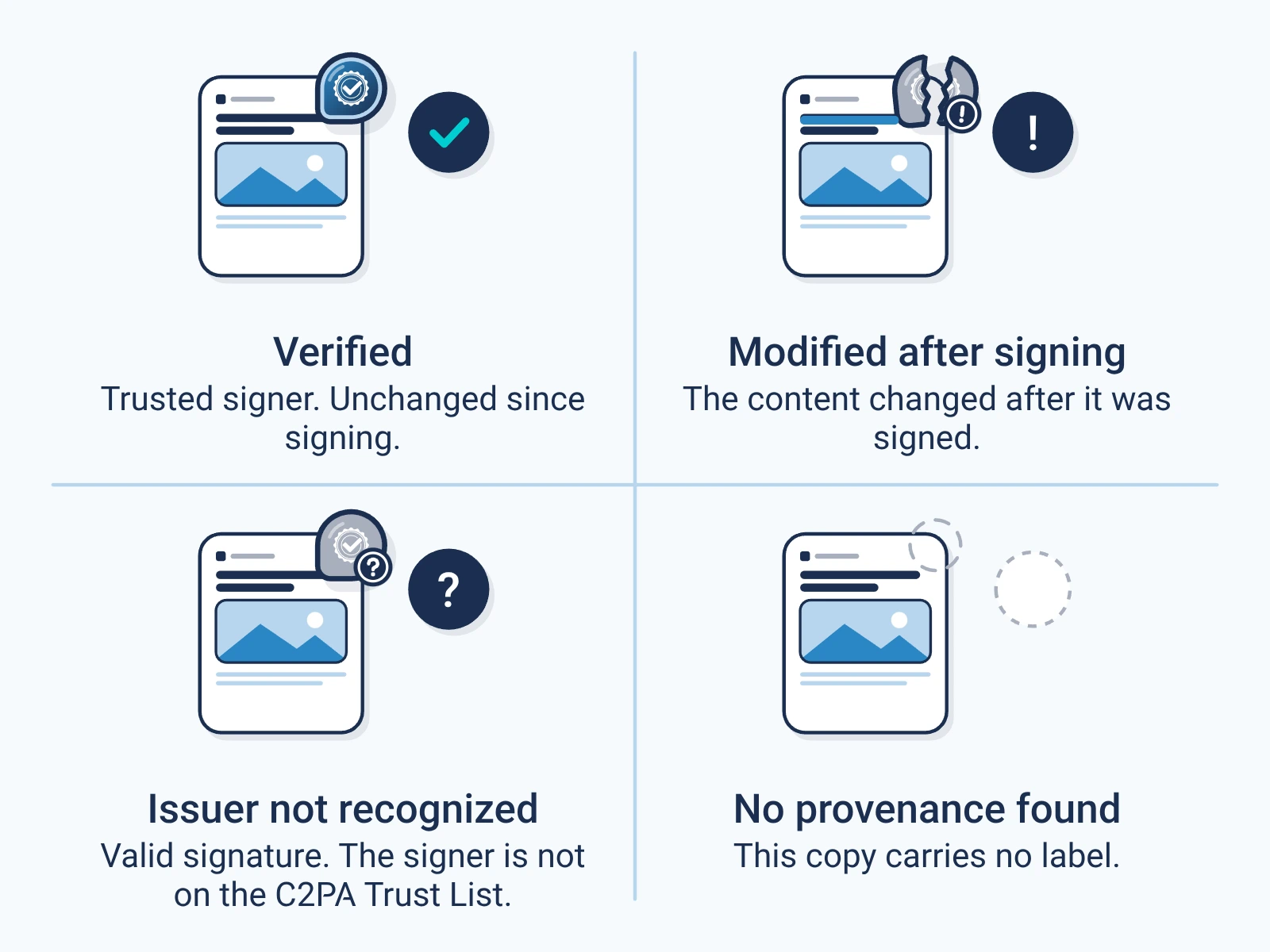
No credential does not mean fake. C2PA is optional, metadata can be removed, and apps differ in what they can read and show. No watermark found does not mean human-made. The maker may use another system, or edits may have removed the signal. [1][3]
A detector's confidence is not proof. OpenAI withdrew its 2023 text classifier for low accuracy. That one case does not measure every detector today. [4]
- Name the tool, the content it supports and what its result covers.
- Open the provenance details. Do not rely on a badge alone.
- Find the publisher's original file and check the claim with other reporting.
- Write down open gaps. Do not turn 'not found' into 'authentic' or 'AI-free'.
None of these signals alone proves that content is true, who owns it, or that you may reuse it.
Download the collection
Free, direct downloads. No email or account, and nothing to subscribe to.
- Complete resource pack (ZIP). All four guides, the editable set and the deck, in one file.
- Editable guide collection (DOCX). All four guides in one document you can edit.
- Guide collection (PDF). All four guides in one file to read or print.
- Provenance presentation (PPTX). A deck you can edit in PowerPoint. Keynote can open it, but check the layout. It is not a .key file.
- Provenance presentation (PDF). The same deck as a PDF, to read and share.
Each file is signed by Encypher Official. Open the file you downloaded in the public checker. The check shows who signed and whether the file changed. It does not prove the content is true. An edited or exported copy is a new file, so check it on its own.
Create. Mark. Endure.
Sign your own files free, so the people who get them can check them.