

Content Credentials, provenance and authenticity explained
What Content CredentialsContent Credentials: The public name for a C2PA label, often shown as a small CR icon that opens who signed the content and what they declared. and digital provenanceContent provenance: The record of where a piece of content came from and how it changed, carried with the content itself. mean, with a short checklist for judging a signed file and its limits.
Download this guide (PDF). Free, with no email or account.
What the terms actually mean
A photo can be the publisher's real file and still carry a false caption. Content Credentials help you look into the file's recorded history. They do not prove the caption is true. [1]
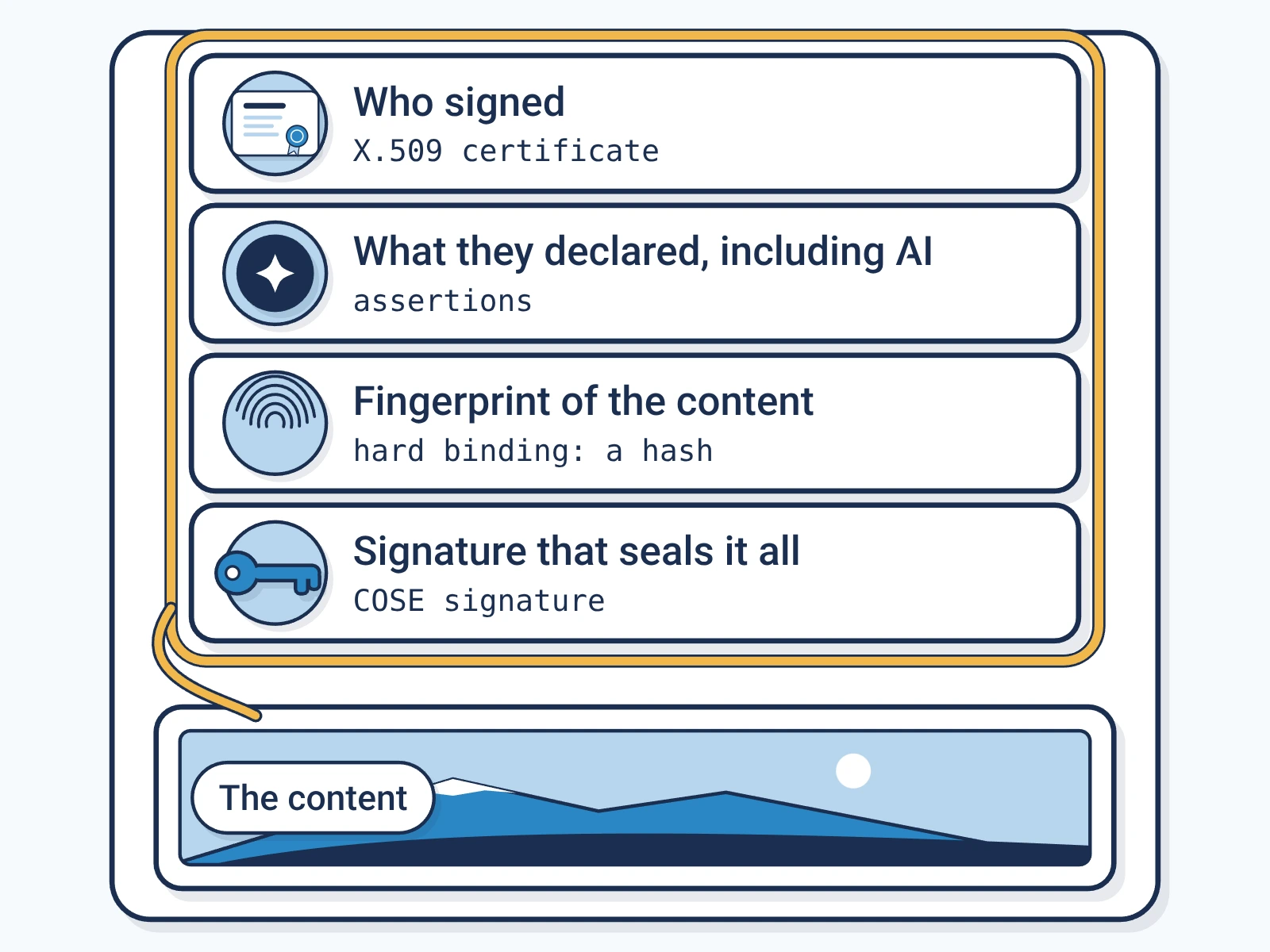
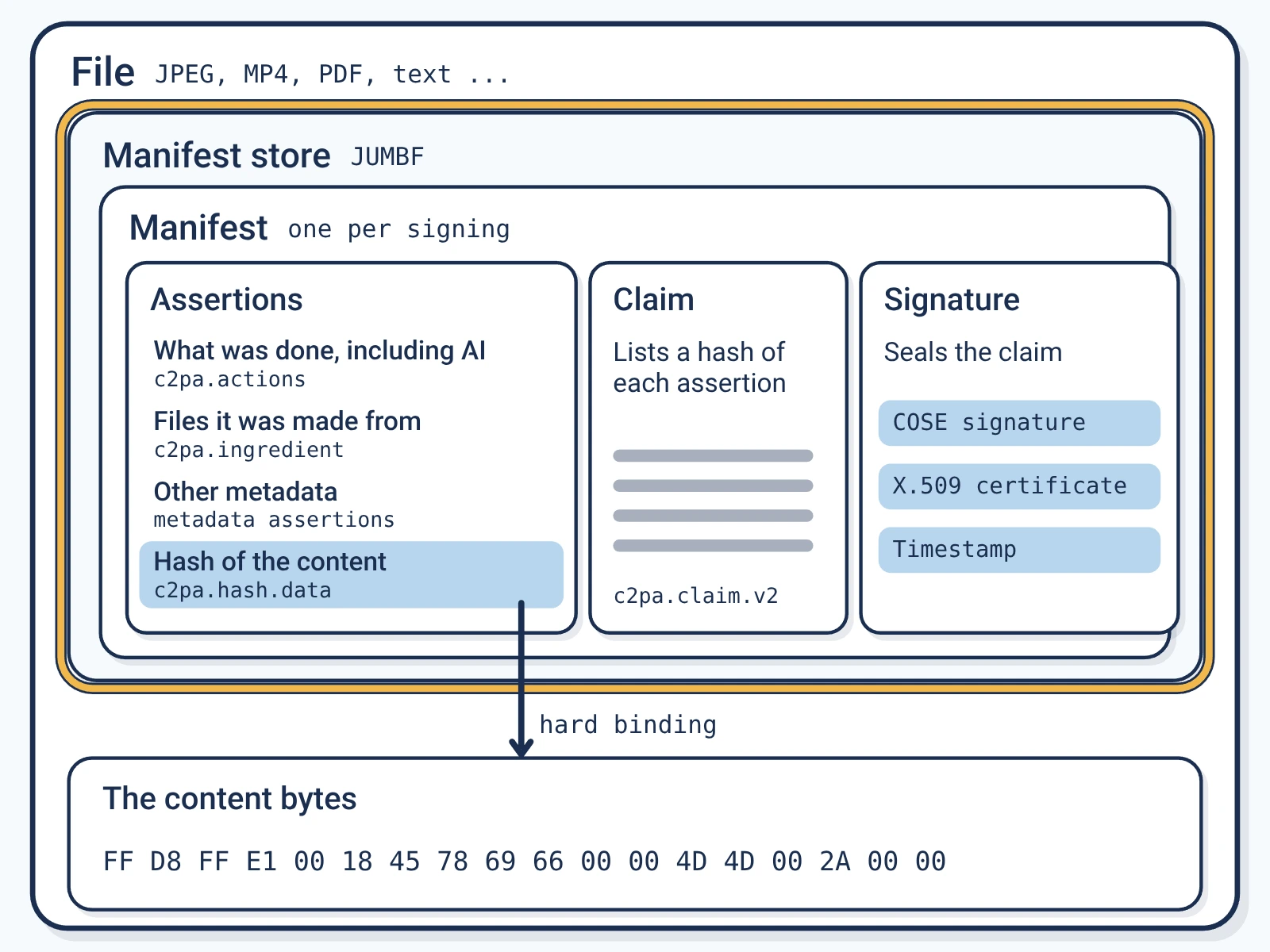
Digital provenance is information about where content came from and what happened to it. A Content Credential is the reader-facing name for a C2PA manifestC2PA manifest: The signed label itself: a small package inside a file that records who signed it, what they declared and how to check it.. It holds statements about a file, a claim and a digital signatureDigital signature: Math that shows which key signed something and that it has not changed since. Any edit to the signed bytes breaks it.. The C2PAC2PA: The Coalition for Content Provenance and Authenticity: the group that publishes the open standard for content labels. 2.4 standard says how these fit together and how apps check them. [2] Encypher's explainer links these ideas to a publishing workflow. [3]
- An assertionAssertion: One statement inside a C2PA label, such as what was done to the content, whether AI was used, or the content's hash. is a recorded statement, for example about how a file was made or edited. [2]
- A content binding ties the credential to the content. HashesHash: A short fingerprint of exact bytes. Any change, even one character, gives a completely different hash. give hard bindingsHard binding: A hash of the content's signed bytes stored in the label, so a change to those bytes makes the check fail.. Other identifiers can help find related records. [2]
- A watermarkWatermark: A mark placed in the content itself, visible or hidden, so it can be found again after the file is copied. is a signal hidden in the content. It can help find a credential, but it is not the credential. [2]
- Content authenticityContent authenticity: Being able to check who published content and that it has not changed since. It says nothing about whether the content is true. asks whether content is what it claims to be. C2PA adds records that show tampering. It does not promise the facts are right. [1][2]
A signed record gives you evidence to weigh. It does not replace your judgment about the source or the story.
Checking a publisher's signed file
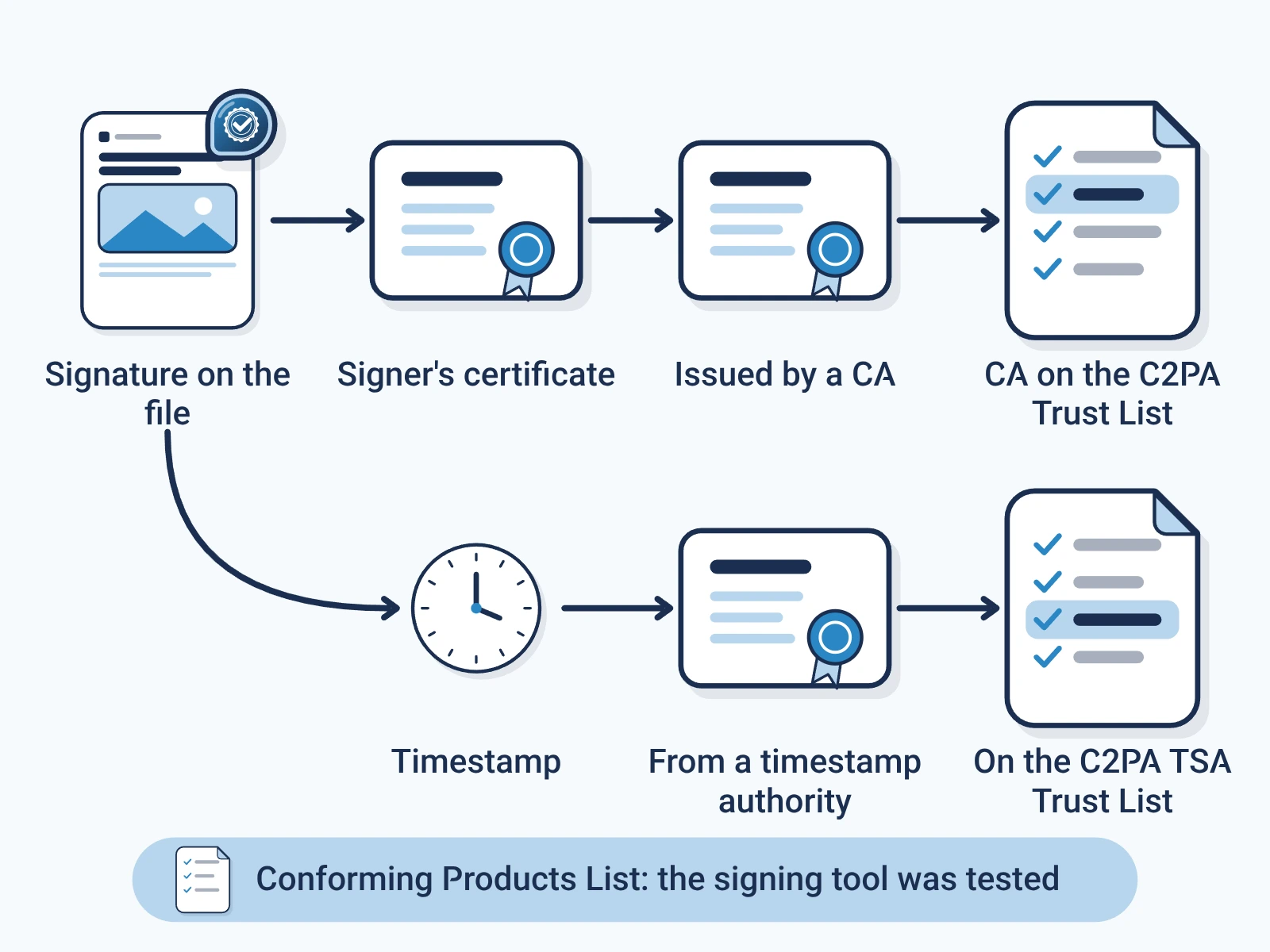
An illustration: a newsroom publishes a photo with a Content Credential. You get the released file and open it in a compatible checker. You read who signed it, the check results and the recorded edits. You do not take a logo on the image as proof. [1]
Keep three checks apart. The signature check tests the signed claim against the public keyPublic key cryptography: Signing with a secret private key that only the signer holds, checked by anyone with the matching public key.. The integrity check tests the recorded statements and their tie to the content. The trust check tests the signer against the checker's trust listC2PA Trust List: The list of signing authorities that conforming C2PA checkers trust by default.. A valid signature alone does not answer the other two. [2]
The signer can be a piece of software or a device. Do not assume its name is the photographer's. Showing a person's or an organization's identity can rely on add-ons beyond core C2PA. [1]
- Read which edits and source files were recorded, and where the record begins.
- Tell invalid, untrusted, missing and unsupported results apart. Ask what failed before you judge the content. Encypher's verification guide explains each result. [4]
- Check the publisher's own site for context, apart from the file.
A trusted signer does not make the story true.
A practical reader checklist
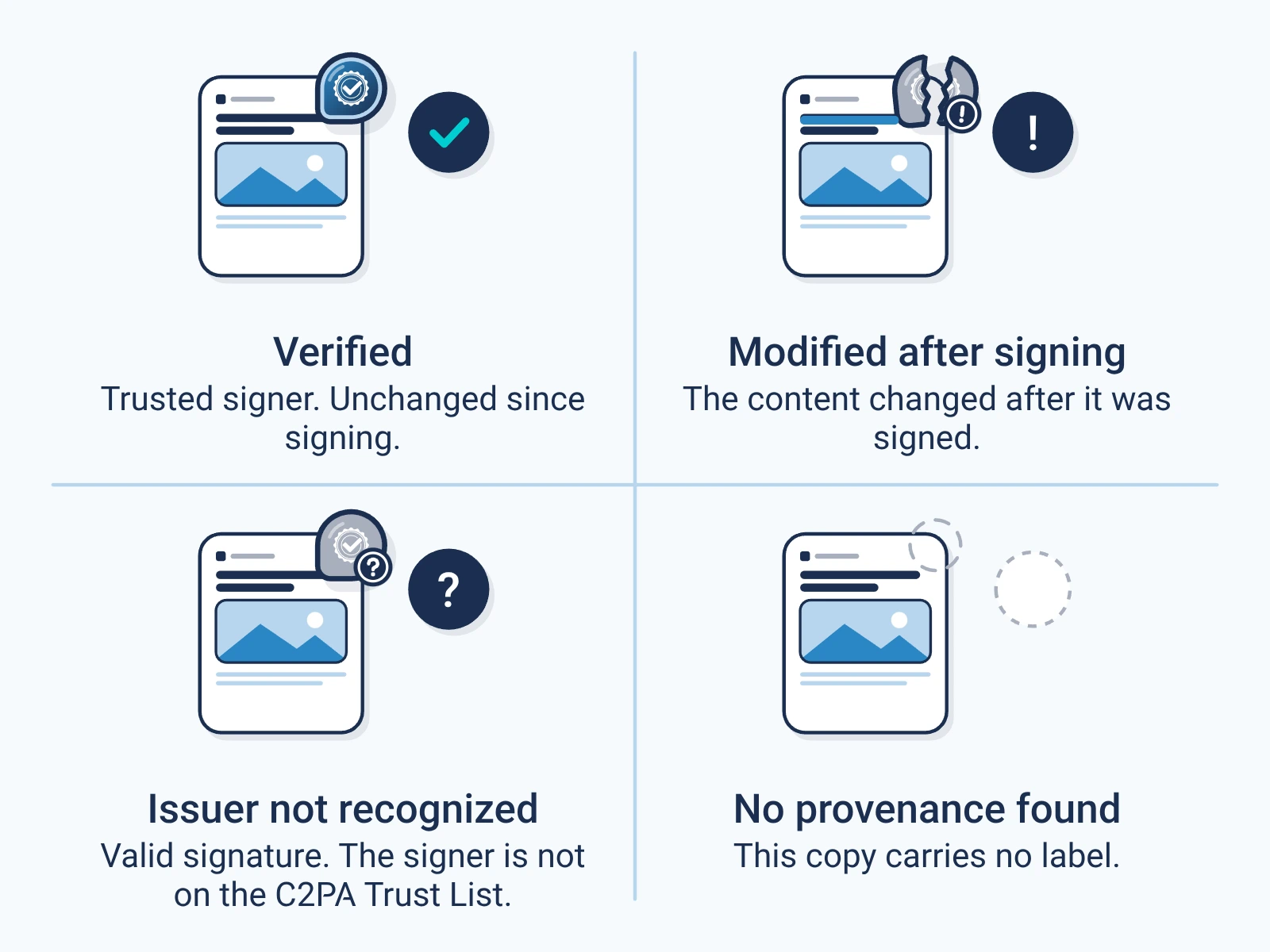
A record can be incomplete. Work done before signing, or in tools that drop credentials, may be missing. A valid credential does not prove a person made it, that the scene is unedited, or that the history is complete. A missing credential alone does not prove a trick. [1]
- Source: get the publisher's original release if you can. Keep its address and context.
- Status: read the signature, integrity and signer trust results in a compatible viewer.
- Scope: read the recorded actions and ingredientsIngredient: A source file used to make new content, recorded in the new content's label with a link to its own label., meaning source files. Note gaps and missing records.
- Meaning: tell the signer from the creator, and a recorded AI note from a detector's guess.
- Reality: check names, dates, places and claims with evidence outside the credential.
Use provenance to ask better questions. Check facts, ownership and reuse rights as separate questions.
Download the collection
Free, direct downloads. No email or account, and nothing to subscribe to.
- Complete resource pack (ZIP). All four guides, the editable set and the deck, in one file.
- Editable guide collection (DOCX). All four guides in one document you can edit.
- Guide collection (PDF). All four guides in one file to read or print.
- Provenance presentation (PPTX). A deck you can edit in PowerPoint. Keynote can open it, but check the layout. It is not a .key file.
- Provenance presentation (PDF). The same deck as a PDF, to read and share.
Each file is signed by Encypher Official. Open the file you downloaded in the public checker. The check shows who signed and whether the file changed. It does not prove the content is true. An edited or exported copy is a new file, so check it on its own.
Create. Mark. Endure.
Sign your own files free, so the people who get them can check them.