

Encypher Verify for Chrome See labels as you browse.
The free extension finds signed text and images on any web page. Click the badge to see who signed, when, and whether the work changed. Checking needs no account.
Works on Chrome, Edge, Brave and other Chromium browsers.
How it works
Install it
One click from the Chrome Web Store.
Browse as usual
It scans each page for a C2PA manifestC2PA manifest: The signed label itself: a small package inside a file that records who signed it, what they declared and how to check it. and shows a badge when it finds one.
Open the badge
See the signer, the time, and whether the work changed. Or select text and right-click to check it.
Free to check. Free to sign.
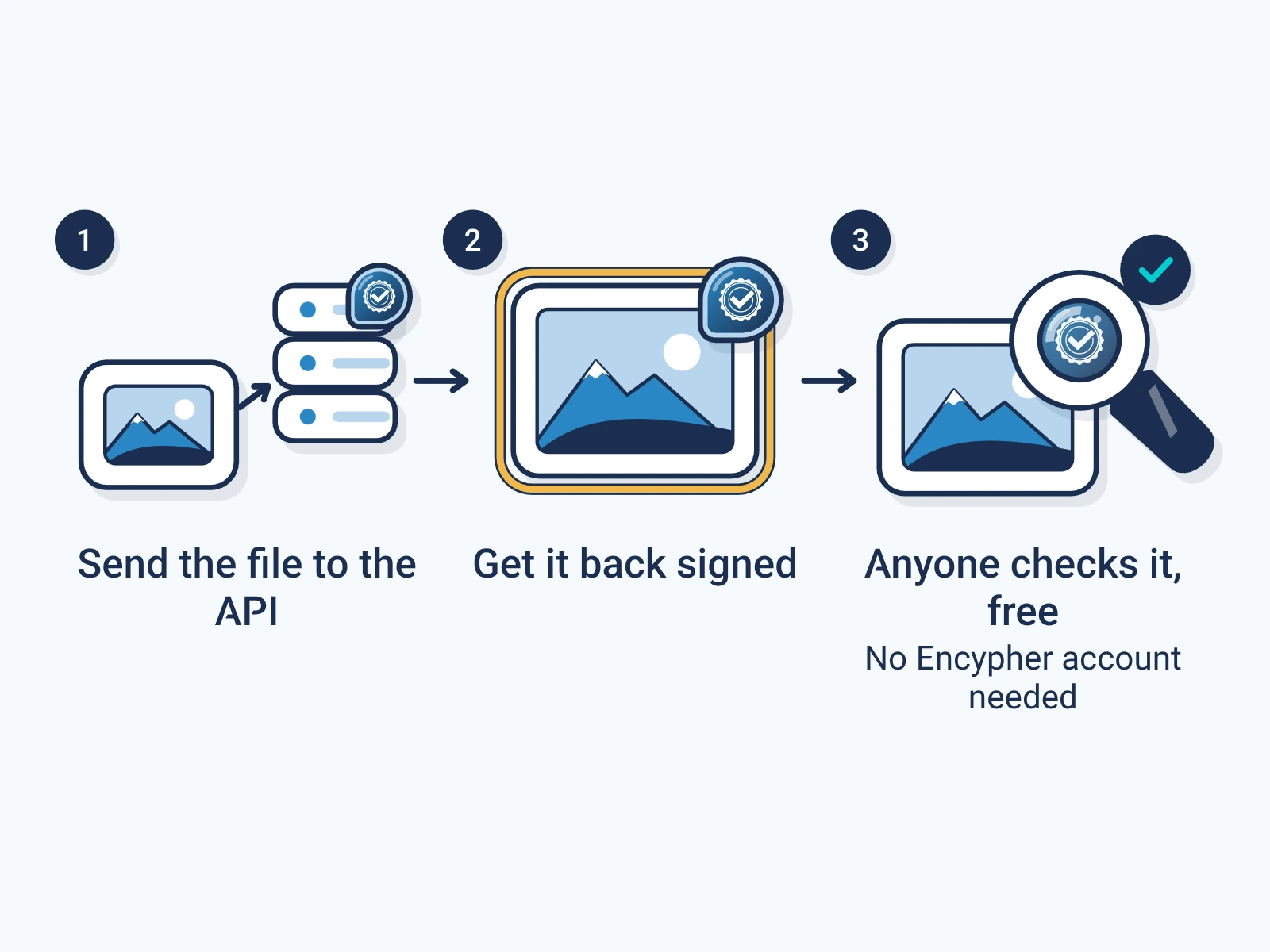
- Check
- No account. Unlimited checks, automatic scans, and right-click on any selection.
- Sign
- A free account lets you sign selected text from the popup, with your name in the label. Normal publishing use is unlimited, with fair-use limits, plus 1,000 outputs a month.
Questions
How does it find a label in text?
Text labels are stored as invisible UnicodeUnicode: The standard that gives every character in every writing system a number, so text looks the same on every device. characters between the letters. The extension reads them and shows the record they carry.
What is C2PA?
C2PAC2PA: The Coalition for Content Provenance and Authenticity: the group that publishes the open standard for content labels. is the open standard for content labels, with 400+ member organizations. Encypher wrote its method for text.
Does a label prove the words are true?
No. It shows who signed, what they declared about AI, and whether the work changed since.
Create. Mark. Endure.
Install it once and see labels on every page you read.