

Microsoft Office content provenance
A signed C2PA manifestC2PA manifest: The signed label itself: a small package inside a file that records who signed it, what they declared and how to check it. sits in its own entry inside the ZIP package that holds the file. It shows who signed the file and whether it changed, and anyone can check it free.
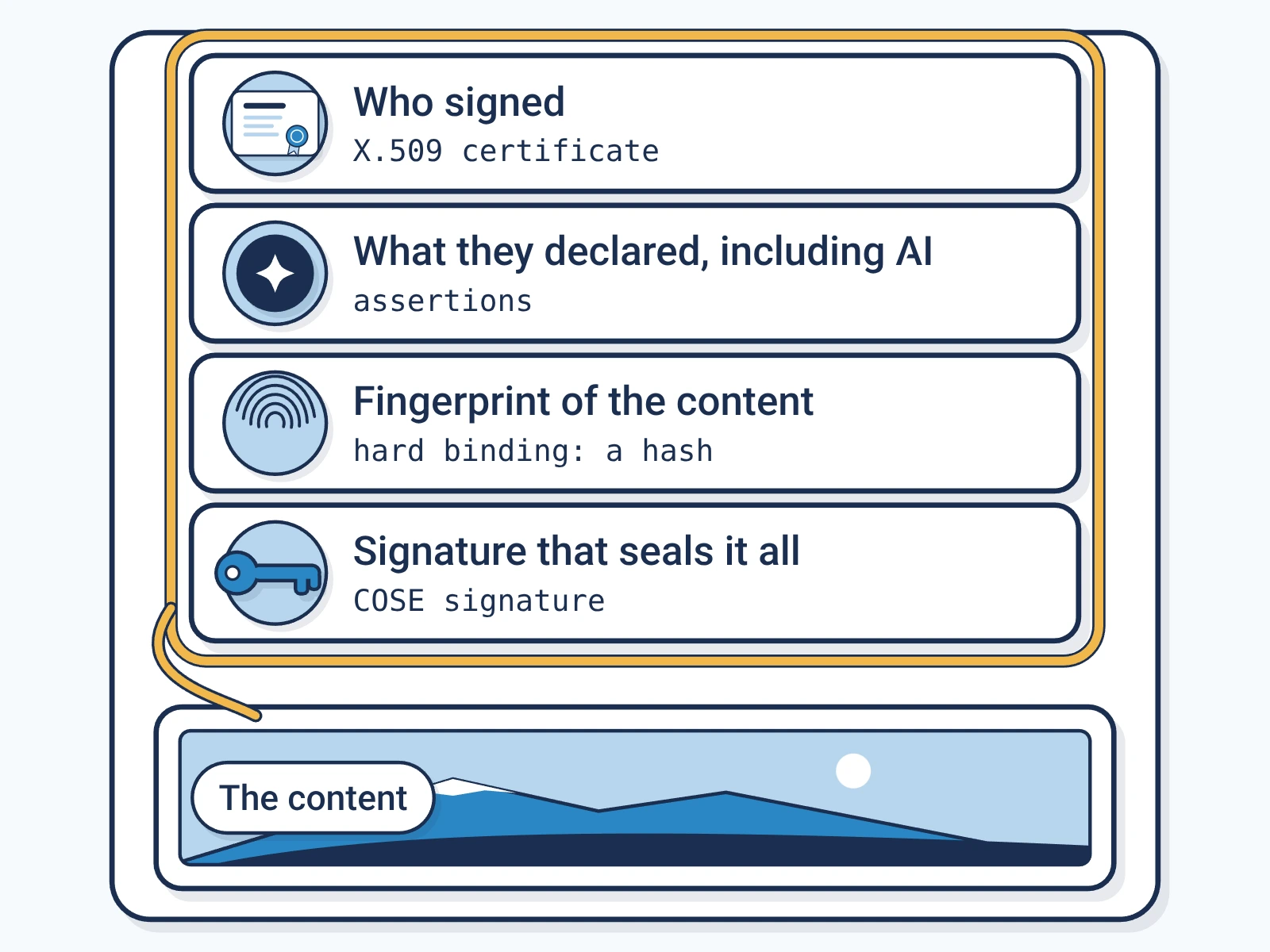
- Formats
- 21 formats that carry the label the same way.
- Where the label sits
- In its own entry inside the ZIP package that holds the file.
- Standard
- C2PAC2PA: The Coalition for Content Provenance and Authenticity: the group that publishes the open standard for content labels., the open standard for content labels.
- Made for
- Contracts and policies, Financial models, Board decks, Diagrams and process maps
What Encypher supports for Microsoft Office files
- SignSupported
Encypher signs all 21 formats on this page, under C2PA 2.2 and 2.4.
- CheckSupported
Free in the browser checker, with no account.
- Formal conformanceNot yet
None is in our formal conformance record. That record is a narrower test than signing and checking.
How to check Microsoft Office files
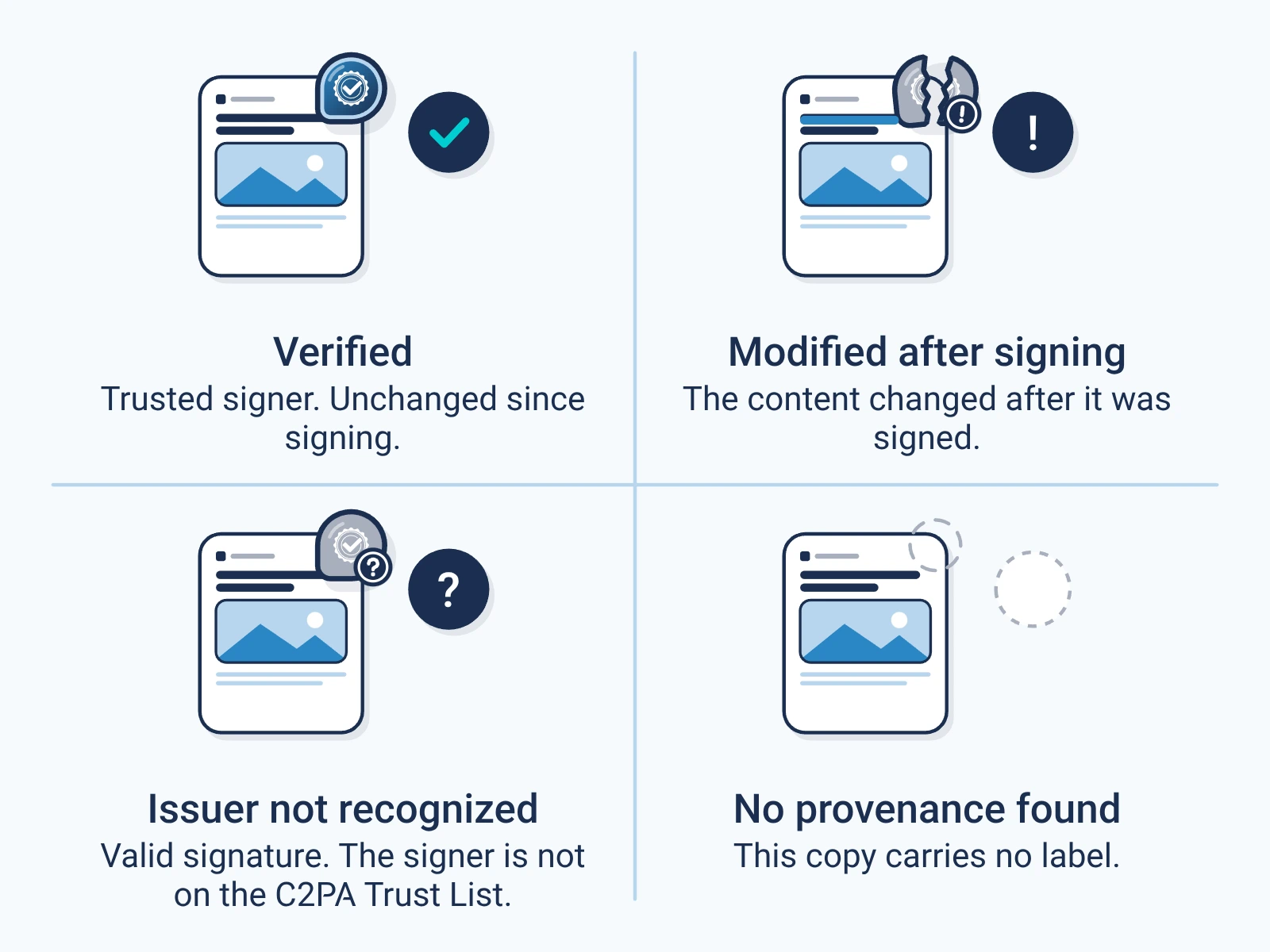
Open the free checker.
It runs in your browser. No account needed.
Open the checkerAdd your file.
Drop it in or pick it from your device.
Read the result.
It shows who signed and what they declared, such as AI use. It also shows if the file changed.
The 21 formats this guide covers
Each one carries the label the same way. Each is named with its media typeMIME type: The standard name for a file format, such as image/jpeg or audio/wav, that software uses to decide how to read a file..
| Format | File ending | Sign | Check | Media type |
|---|---|---|---|---|
| Word document (DOCX) | .docx | Yes | Yes | application/vnd.openxmlformats-officedocument.wordprocessingml.document |
| Word template (DOTX) | .dotx | Yes | Yes | application/vnd.openxmlformats-officedocument.wordprocessingml.template |
| Word document with macros (DOCM) | .docm | Yes | Yes | application/vnd.ms-word.document.macroenabled.12 |
| Word template with macros (DOTM) | .dotm | Yes | Yes | application/vnd.ms-word.template.macroenabled.12 |
| Excel workbook (XLSX) | .xlsx | Yes | Yes | application/vnd.openxmlformats-officedocument.spreadsheetml.sheet |
| Excel template (XLTX) | .xltx | Yes | Yes | application/vnd.openxmlformats-officedocument.spreadsheetml.template |
| Excel workbook with macros (XLSM) | .xlsm | Yes | Yes | application/vnd.ms-excel.sheet.macroenabled.12 |
| Excel binary workbook (XLSB) | .xlsb | Yes | Yes | application/vnd.ms-excel.sheet.binary.macroenabled.12 |
| Excel template with macros (XLTM) | .xltm | Yes | Yes | application/vnd.ms-excel.template.macroenabled.12 |
| PowerPoint deck (PPTX) | .pptx | Yes | Yes | application/vnd.openxmlformats-officedocument.presentationml.presentation |
| PowerPoint show (PPSX) | .ppsx | Yes | Yes | application/vnd.openxmlformats-officedocument.presentationml.slideshow |
| PowerPoint template (POTX) | .potx | Yes | Yes | application/vnd.openxmlformats-officedocument.presentationml.template |
| PowerPoint deck with macros (PPTM) | .pptm | Yes | Yes | application/vnd.ms-powerpoint.presentation.macroenabled.12 |
| PowerPoint show with macros (PPSM) | .ppsm | Yes | Yes | application/vnd.ms-powerpoint.slideshow.macroenabled.12 |
| PowerPoint template with macros (POTM) | .potm | Yes | Yes | application/vnd.ms-powerpoint.template.macroenabled.12 |
| Visio drawing (VSDX) | .vsdx | Yes | Yes | application/vnd.ms-visio.drawing |
| Visio drawing with macros (VSDM) | .vsdm | Yes | Yes | application/vnd.ms-visio.drawing.macroenabled.12 |
| Visio stencil (VSSX) | .vssx | Yes | Yes | application/vnd.ms-visio.stencil |
| Visio stencil with macros (VSSM) | .vssm | Yes | Yes | application/vnd.ms-visio.stencil.macroenabled.12 |
| Visio template (VSTX) | .vstx | Yes | Yes | application/vnd.ms-visio.template |
| Visio template with macros (VSTM) | .vstm | Yes | Yes | application/vnd.ms-visio.template.macroenabled.12 |
Where the label sits in Microsoft Office files
Word, Excel, PowerPoint and Visio save each file as a ZIP package of parts. The label is one more entry in that package.
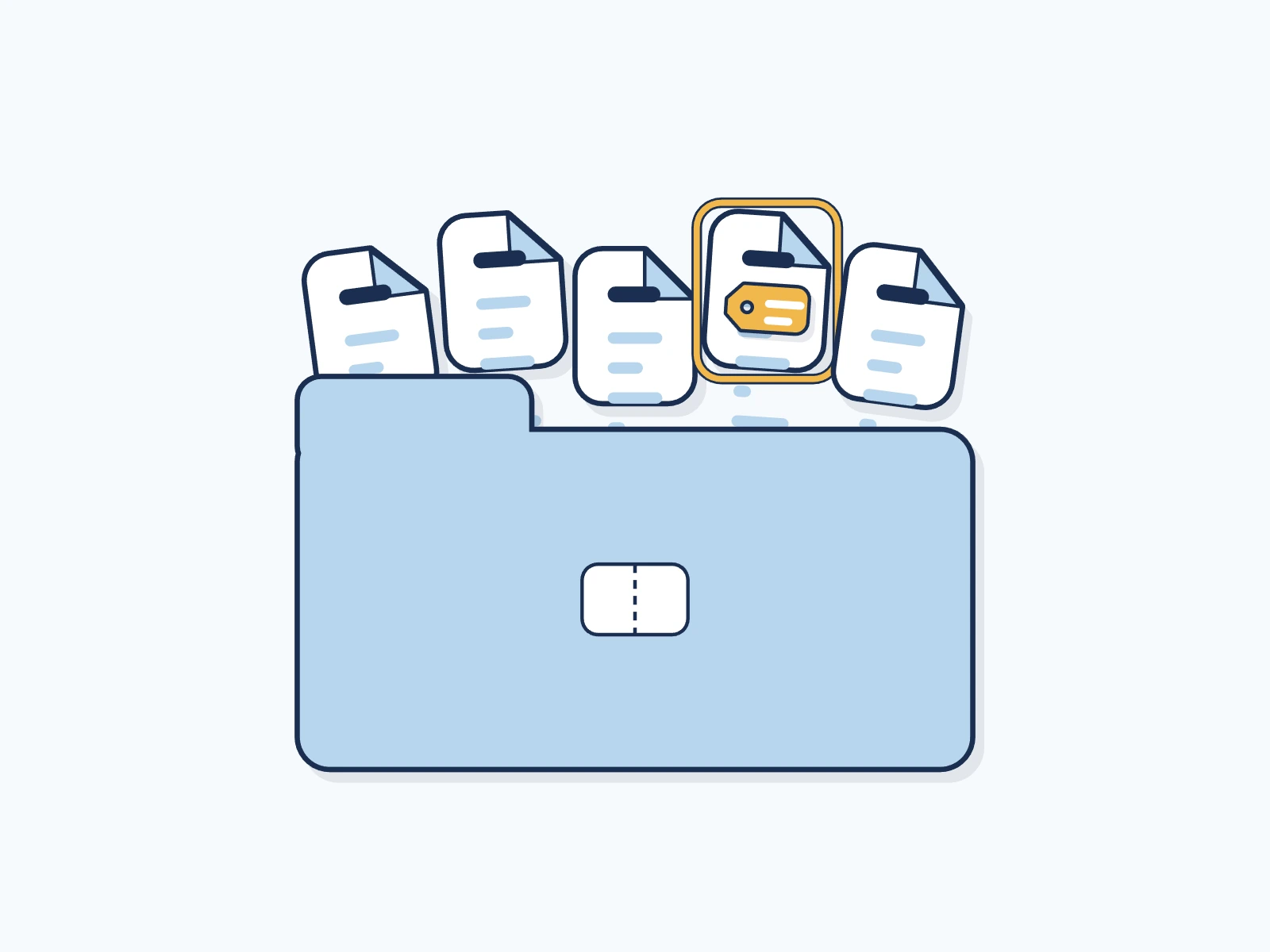
Word, Excel, PowerPoint and Visio files are all ZIP packages, so the label sits the same way in each, templates and macro files included.
What keeps the label on Microsoft Office files
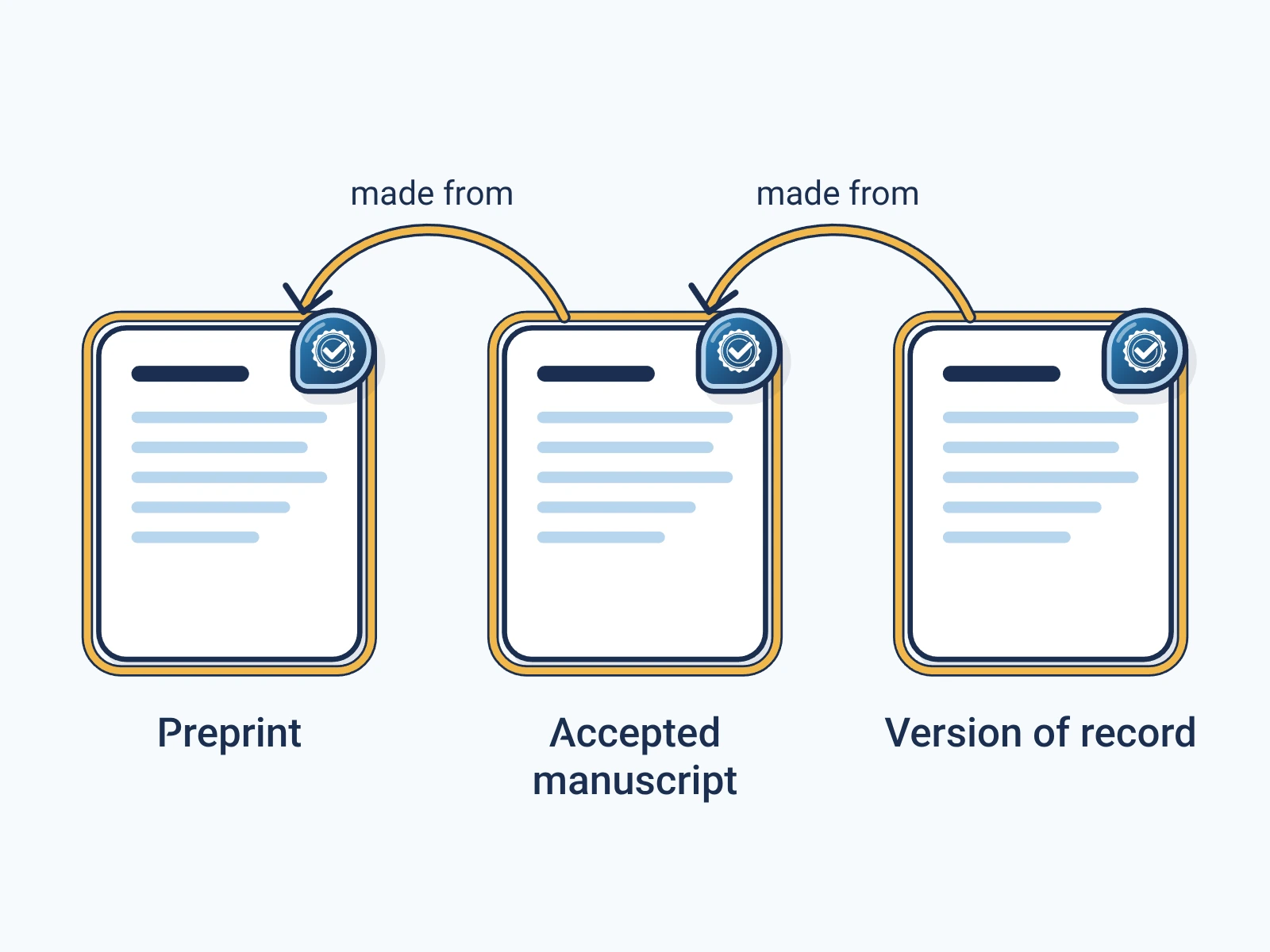
- Sending, copying and storing the file keep the label.
- A change to the content after signing shows as a change.
- Office makes no promise to keep the label when it saves the file again. Sign the final copy, after the last edit.
- Saving as PDF makes a new file without the label. Sign the PDF as well.
For engineers
Show the technical detail
- Embedding
- JUMBF manifest store in the META-INF/content_credential.c2pa entry of the ZIP package, with a c2pa.hash.collection.data hard binding over every entry and the central directory (Office Open XML)
- Signing versions
- C2PA 2.2, 2.4, per format in the live matrix
- Verification
- Any version. The checker reads any C2PA manifest it can parse, and the report names the version it checked against.
| Format | Media type | Sign with |
|---|---|---|
| Word document (DOCX) | application/vnd.openxmlformats-officedocument.wordprocessingml.document | POST /api/v1/sign/media |
| Word template (DOTX) | application/vnd.openxmlformats-officedocument.wordprocessingml.template | POST /api/v1/sign/registered-media |
| Word document with macros (DOCM) | application/vnd.ms-word.document.macroenabled.12 | POST /api/v1/sign/registered-media |
| Word template with macros (DOTM) | application/vnd.ms-word.template.macroenabled.12 | POST /api/v1/sign/registered-media |
| Excel workbook (XLSX) | application/vnd.openxmlformats-officedocument.spreadsheetml.sheet | POST /api/v1/sign/media |
| Excel template (XLTX) | application/vnd.openxmlformats-officedocument.spreadsheetml.template | POST /api/v1/sign/registered-media |
| Excel workbook with macros (XLSM) | application/vnd.ms-excel.sheet.macroenabled.12 | POST /api/v1/sign/registered-media |
| Excel binary workbook (XLSB) | application/vnd.ms-excel.sheet.binary.macroenabled.12 | POST /api/v1/sign/registered-media |
| Excel template with macros (XLTM) | application/vnd.ms-excel.template.macroenabled.12 | POST /api/v1/sign/registered-media |
| PowerPoint deck (PPTX) | application/vnd.openxmlformats-officedocument.presentationml.presentation | POST /api/v1/sign/media |
| PowerPoint show (PPSX) | application/vnd.openxmlformats-officedocument.presentationml.slideshow | POST /api/v1/sign/registered-media |
| PowerPoint template (POTX) | application/vnd.openxmlformats-officedocument.presentationml.template | POST /api/v1/sign/registered-media |
| PowerPoint deck with macros (PPTM) | application/vnd.ms-powerpoint.presentation.macroenabled.12 | POST /api/v1/sign/registered-media |
| PowerPoint show with macros (PPSM) | application/vnd.ms-powerpoint.slideshow.macroenabled.12 | POST /api/v1/sign/registered-media |
| PowerPoint template with macros (POTM) | application/vnd.ms-powerpoint.template.macroenabled.12 | POST /api/v1/sign/registered-media |
| Visio drawing (VSDX) | application/vnd.ms-visio.drawing | POST /api/v1/sign/registered-media |
| Visio drawing with macros (VSDM) | application/vnd.ms-visio.drawing.macroenabled.12 | POST /api/v1/sign/registered-media |
| Visio stencil (VSSX) | application/vnd.ms-visio.stencil | POST /api/v1/sign/registered-media |
| Visio stencil with macros (VSSM) | application/vnd.ms-visio.stencil.macroenabled.12 | POST /api/v1/sign/registered-media |
| Visio template (VSTX) | application/vnd.ms-visio.template | POST /api/v1/sign/registered-media |
| Visio template with macros (VSTM) | application/vnd.ms-visio.template.macroenabled.12 | POST /api/v1/sign/registered-media |
# The format is read from the file itself.
curl -X POST https://api.encypher.com/api/v1/sign/media \
  -H "Authorization: Bearer $ENCYPHER_API_KEY" \
  -H "Idempotency-Key: $(uuidgen)" \
  -F "file=@example.docx"
# Returns the signed file as asset_base64.
curl -X POST https://api.encypher.com/api/v1/sign/registered-media \
-H "Authorization: Bearer $ENCYPHER_API_KEY" \
-F "file=@example.dotx" \
-F "media_type=application/vnd.openxmlformats-officedocument.wordprocessingml.template" \
-F "spec=2.4"curl -X POST https://api.encypher.com/api/v1/public/verify/media \
-F "file=@signed-example.docx" \
-F "mime_type=application/vnd.openxmlformats-officedocument.wordprocessingml.document"Support rows come from the live API capability matrix. Full reference: C2PA media types.
Create. Mark. Endure.
Sign your first Microsoft Office file free. Checking stays free for everyone.