

Document content provenance
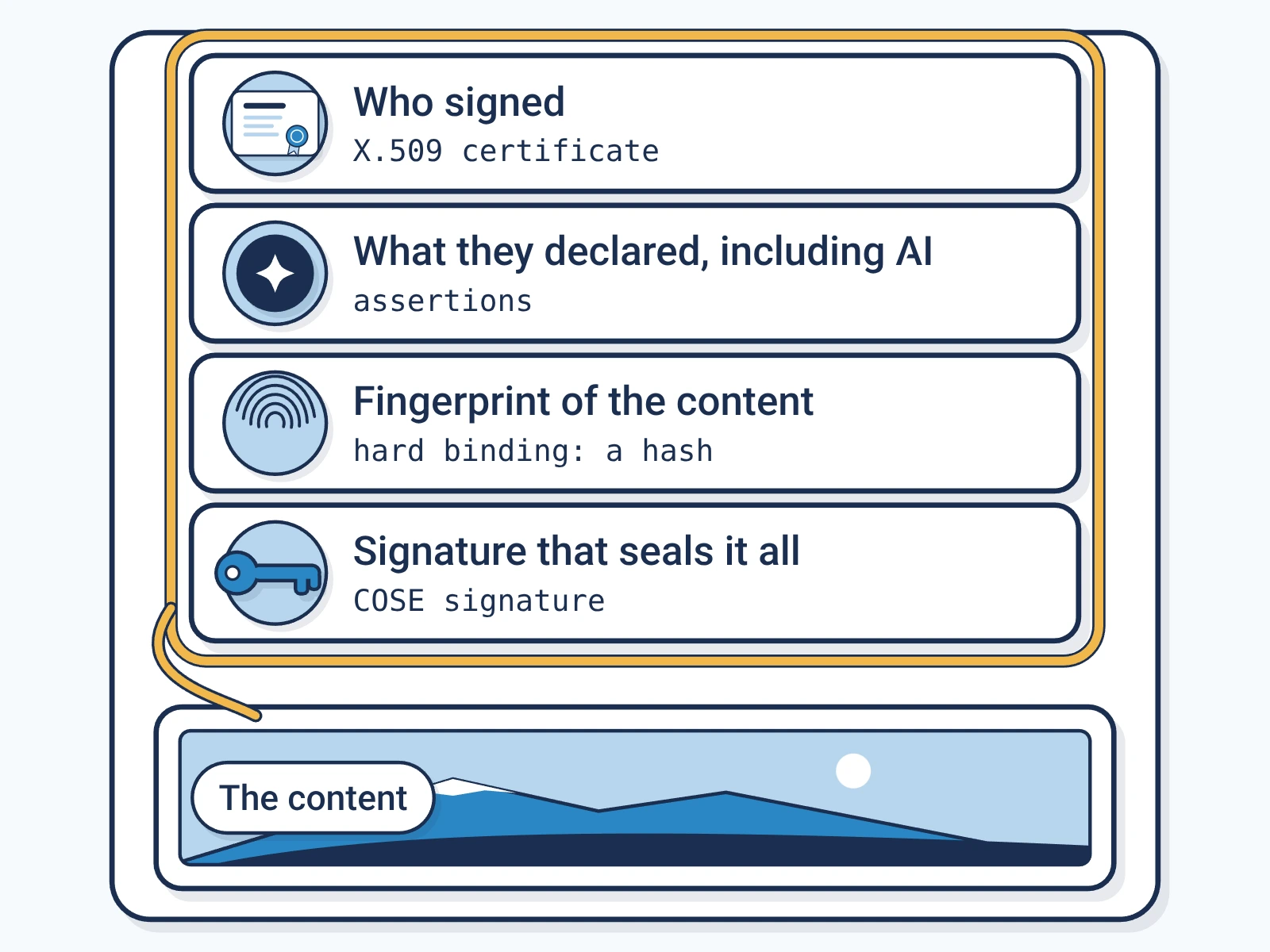
A signed C2PA manifestC2PA manifest: The signed label itself: a small package inside a file that records who signed it, what they declared and how to check it. can sit inside a PDF, a Word file, an EPUB and 35 other document formats. It shows who published the file and whether it changed. Anyone can check it, free.
- Formats
- 38 document formats.
- Where it sits
- Inside the file, apart from the pages.
- What it shows
- Who signed, what they declared and whether the file changed.
- Checking
- Free, with no account.
What a label tells a reader
A label answers three questions about a document. The answers come from a signed record, not from the file's details, which anyone can edit.
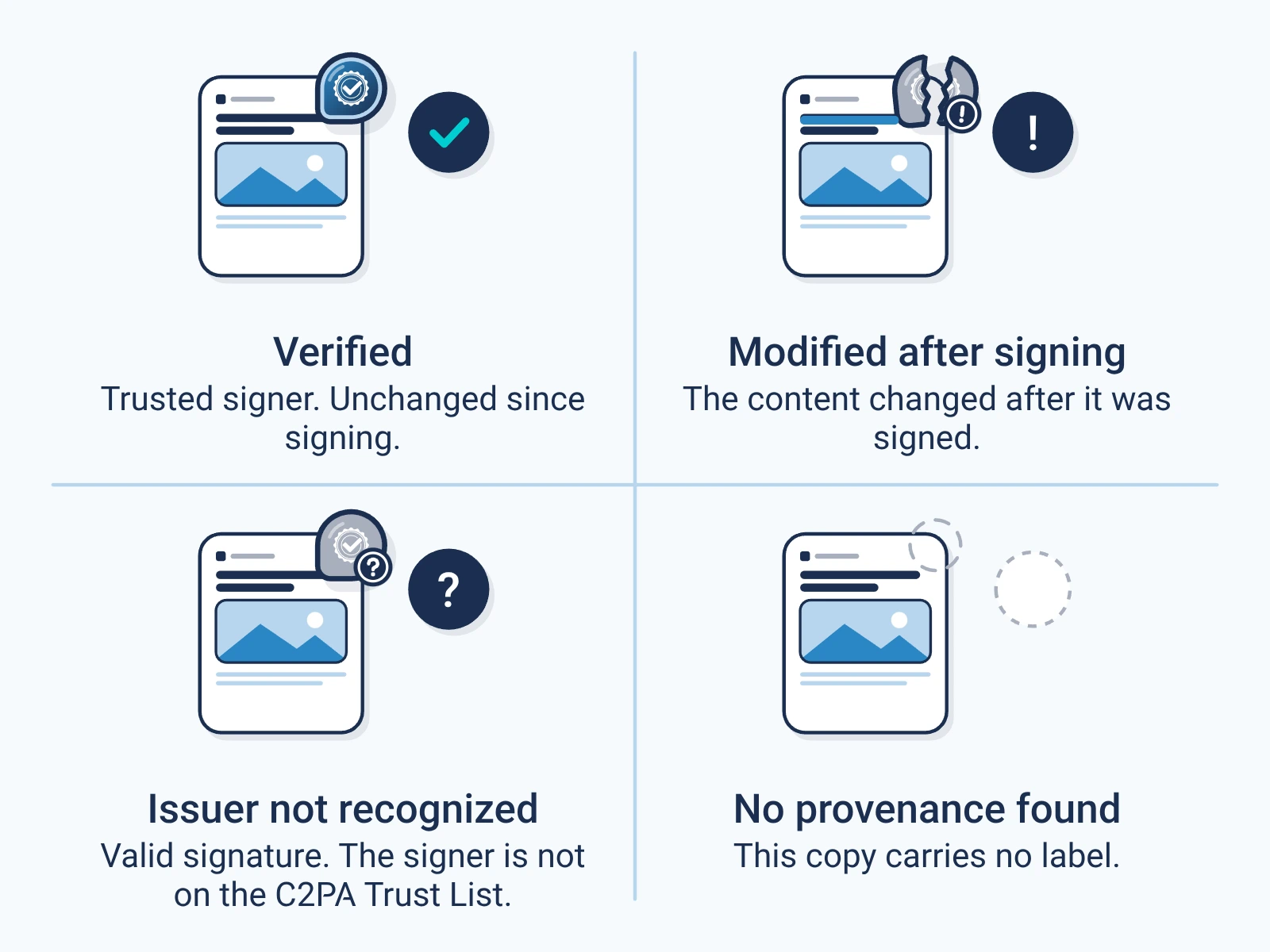
- Who signed it, backed by a certificate the checker can trace.
- What they declared, including whether AI was used.
- Whether the file changed since it was signed.
A label does not say the document is true, who wrote it or who owns it.
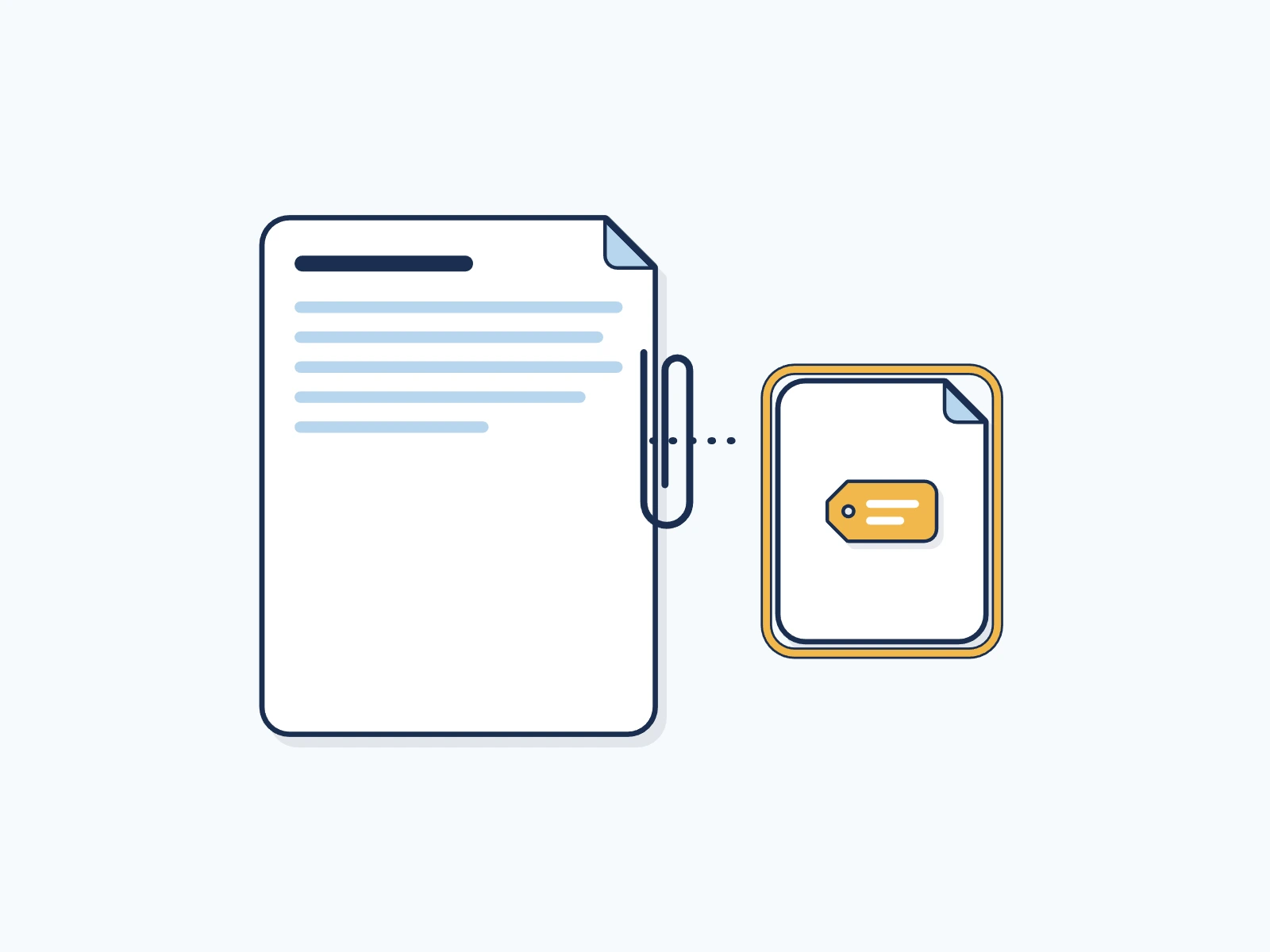
In a PDF, the label is an attached part
A PDF can carry attached files. The label rides as one of them, in an attached file inside the PDF, marked as its C2PAC2PA: The Coalition for Content Provenance and Authenticity: the group that publishes the open standard for content labels. label. The pages stay as they were.
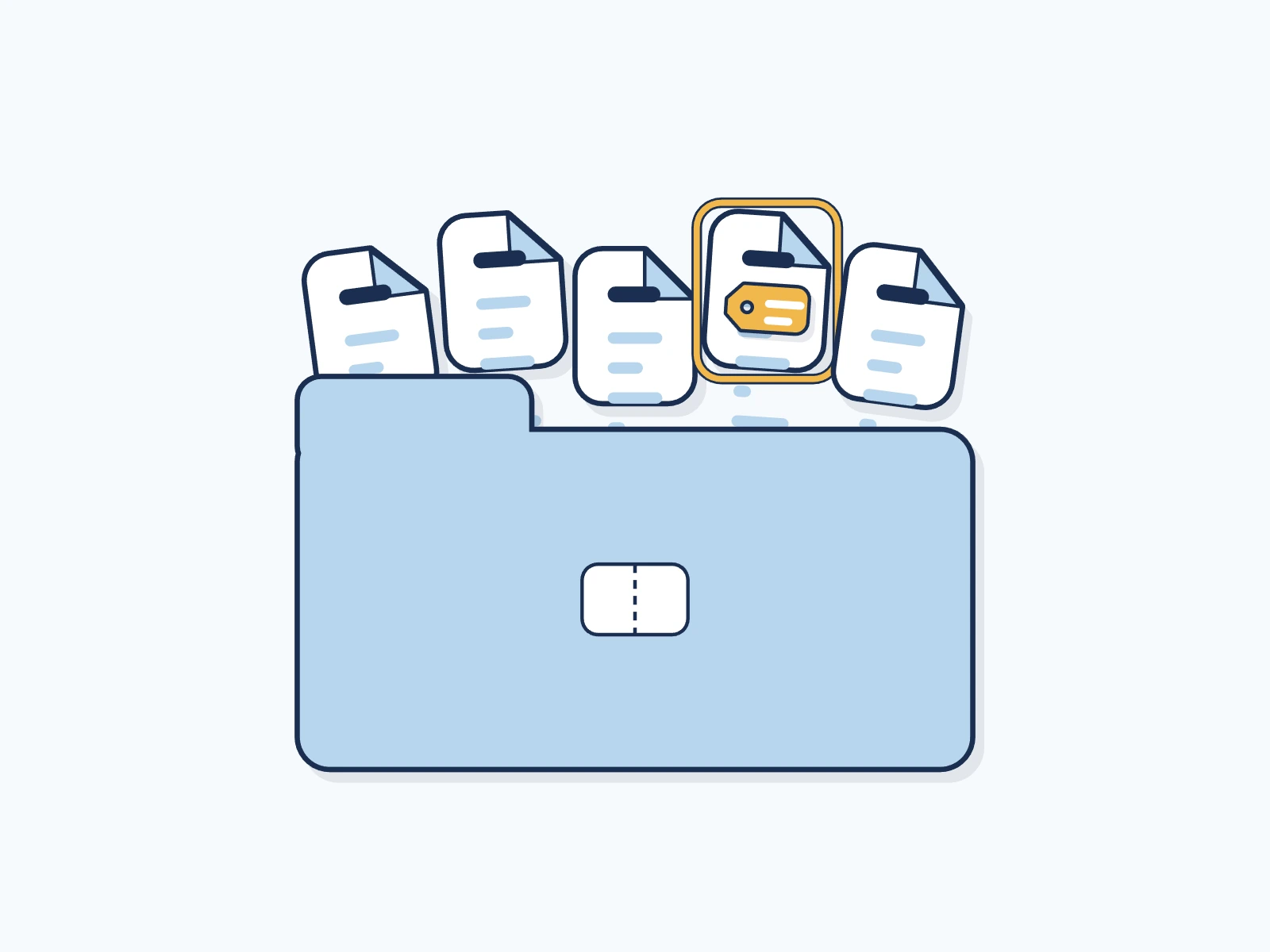
In Word, EPUB and other ZIP files, the label is one entry
Word, Excel, PowerPoint, EPUB, OpenDocument and many other formats are ZIP packages: a bundle of files in one. The label is one more entry in the packageFile container: The outer structure of a file that holds the picture, sound or text plus extra data..
| Guide | Formats | Made for |
|---|---|---|
| EPUB | 1 | Ebooks, Digital magazines |
| DOCX | 1 | Business documents, Contract drafts |
| ODT | 1 | Government documents, Open-source office tools |
| OXPS | 1 | Print-ready pages, Archives |
| Microsoft Office | 21 | Contracts and policies, Financial models |
| OpenDocument | 4 | Government documents, Open-source office tools |
| Apple iWork | 3 | Mac and iPad documents, Slide decks |
| ZIP package | 7 | Digital painting, Page layout handoff |
Every document format, live from our API
Our APIAPI: Application programming interface: a way for one program to ask another to do a job, such as sign a file. lists 38 document formats. Encypher signs 38 and checks 37 of them. Each is named with its media typeMIME type: The standard name for a file format, such as image/jpeg or audio/wav, that software uses to decide how to read a file..
| Format | File ending | Sign | Check | Media type |
|---|---|---|---|---|
| Yes | Yes | application/pdf | ||
| EPUB e-book | .epub | Yes | Yes | application/epub+zip |
| Word document (DOCX), Microsoft Office | .docx | Yes | Yes | application/vnd.openxmlformats-officedocument.wordprocessingml.document |
| Excel workbook (XLSX) | .xlsx | Yes | Yes | application/vnd.openxmlformats-officedocument.spreadsheetml.sheet |
| PowerPoint deck (PPTX) | .pptx | Yes | Yes | application/vnd.openxmlformats-officedocument.presentationml.presentation |
| OpenDocument text (ODT), OpenDocument | .odt | Yes | Yes | application/vnd.oasis.opendocument.text |
| OpenXPS page file (OXPS) | .oxps, .xps | Yes | Yes | application/oxps, application/vnd.ms-xpsdocument |
| Krita drawing | .kra, .krz | Yes | Yes | application/x-krita |
| OpenRaster drawing | .ora | Yes | Yes | image/openraster |
| InDesign package (IDML) | .idml | Yes | Yes | application/vnd.adobe.indesign-idml-package |
| Google Earth map (KMZ) | .kmz | Yes | Yes | application/vnd.google-earth.kmz |
| 3D print file (3MF) | .3mf | Yes | Yes | model/3mf |
| ZIP archive | .zip | Yes | Yes | application/zip |
| Apple Keynote | .key | Yes | Yes | application/vnd.apple.keynote |
| Apple Numbers | .numbers | Yes | Yes | application/vnd.apple.numbers |
| Apple Pages | .pages | Yes | Yes | application/vnd.apple.pages |
| Excel binary workbook (XLSB) | .xlsb | Yes | Yes | application/vnd.ms-excel.sheet.binary.macroenabled.12 |
| Excel workbook with macros (XLSM) | .xlsm | Yes | Yes | application/vnd.ms-excel.sheet.macroenabled.12 |
| Excel template with macros (XLTM) | .xltm | Yes | Yes | application/vnd.ms-excel.template.macroenabled.12 |
| PowerPoint deck with macros (PPTM) | .pptm | Yes | Yes | application/vnd.ms-powerpoint.presentation.macroenabled.12 |
| PowerPoint show with macros (PPSM) | .ppsm | Yes | Yes | application/vnd.ms-powerpoint.slideshow.macroenabled.12 |
| PowerPoint template with macros (POTM) | .potm | Yes | Yes | application/vnd.ms-powerpoint.template.macroenabled.12 |
| Visio drawing (VSDX) | .vsdx | Yes | Yes | application/vnd.ms-visio.drawing |
| Visio drawing with macros (VSDM) | .vsdm | Yes | Yes | application/vnd.ms-visio.drawing.macroenabled.12 |
| Visio stencil (VSSX) | .vssx | Yes | Yes | application/vnd.ms-visio.stencil |
| Visio stencil with macros (VSSM) | .vssm | Yes | Yes | application/vnd.ms-visio.stencil.macroenabled.12 |
| Visio template (VSTX) | .vstx | Yes | Yes | application/vnd.ms-visio.template |
| Visio template with macros (VSTM) | .vstm | Yes | Yes | application/vnd.ms-visio.template.macroenabled.12 |
| Word document with macros (DOCM) | .docm | Yes | Yes | application/vnd.ms-word.document.macroenabled.12 |
| Word template with macros (DOTM) | .dotm | Yes | Yes | application/vnd.ms-word.template.macroenabled.12 |
| OpenDocument drawing (ODG) | .odg | Yes | Yes | application/vnd.oasis.opendocument.graphics |
| OpenDocument slides (ODP) | .odp | Yes | Yes | application/vnd.oasis.opendocument.presentation |
| OpenDocument sheet (ODS) | .ods | Yes | Yes | application/vnd.oasis.opendocument.spreadsheet |
| PowerPoint show (PPSX) | .ppsx | Yes | Yes | application/vnd.openxmlformats-officedocument.presentationml.slideshow |
| PowerPoint template (POTX) | .potx | Yes | Yes | application/vnd.openxmlformats-officedocument.presentationml.template |
| Excel template (XLTX) | .xltx | Yes | Yes | application/vnd.openxmlformats-officedocument.spreadsheetml.template |
| Word template (DOTX) | .dotx | Yes | Yes | application/vnd.openxmlformats-officedocument.wordprocessingml.template |
| Other ZIP-based files | Various | Yes | No | application/x-zip-based, applications/x-zip-based |
How to check a document
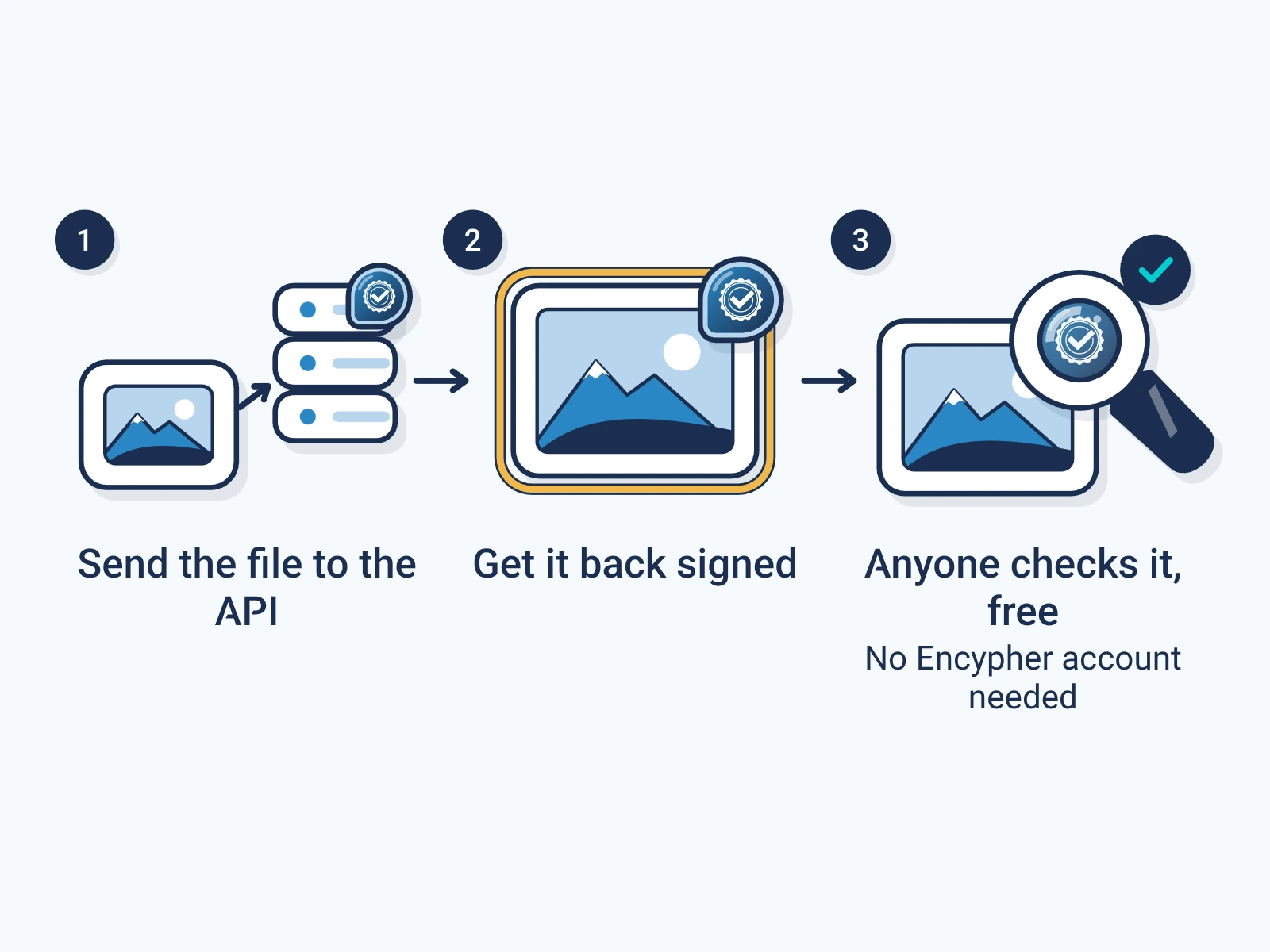
Open the free checker.
It runs in your browser. No account needed.
Open the checkerAdd the file you received.
Check the copy in hand, not the draft it came from.
Read the result.
It names the signer, what they declared and whether the file changed.
What drops or breaks the label
The label belongs to one exact file. Anything that writes a new file leaves it behind, so sign the copy you send.
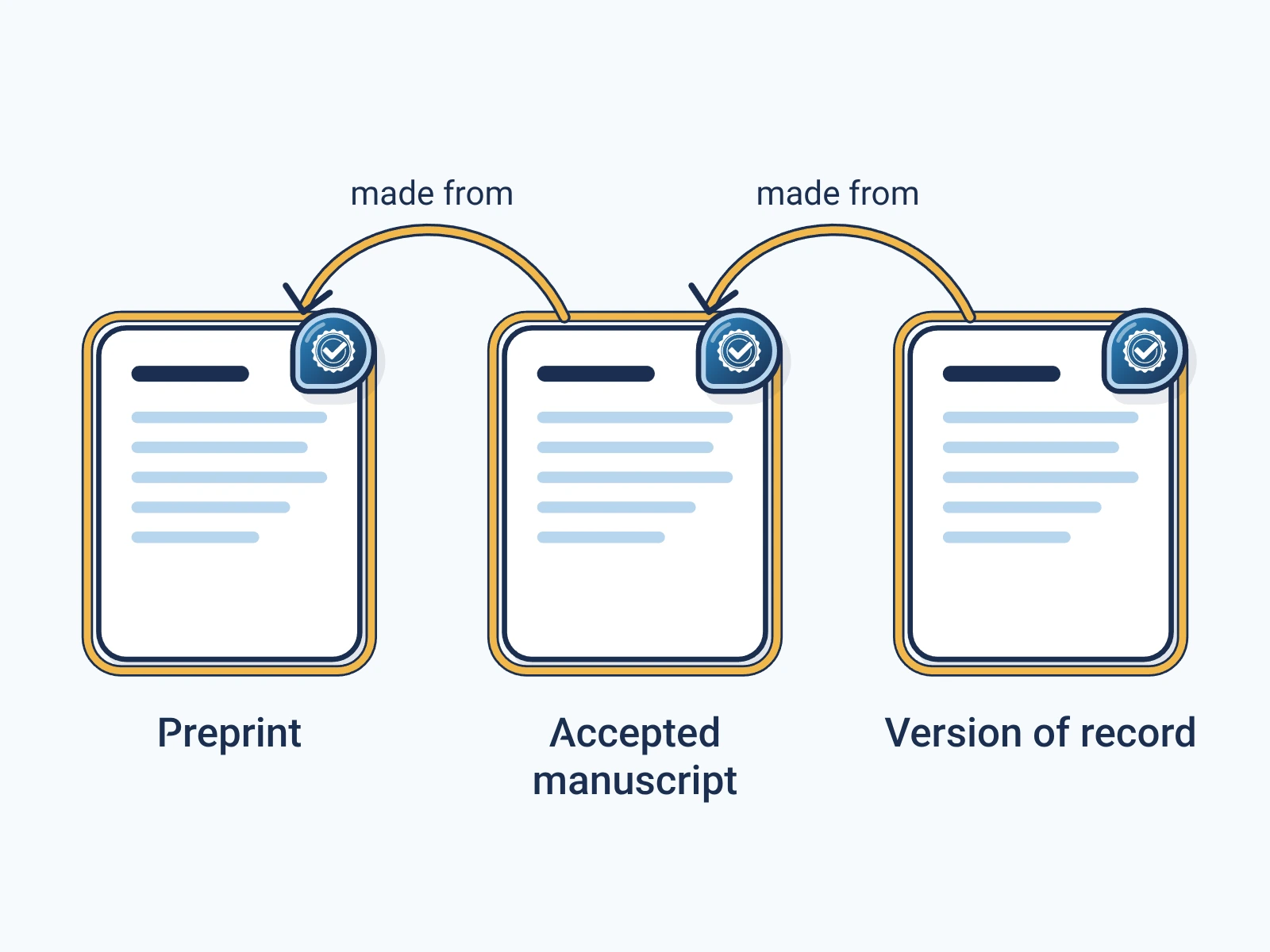
- Exporting to another format, such as Word to PDF, makes a new file without the label. Sign the export too.
- Printing and scanning make a new file with no label.
- Save as, or saving again in an editor, can drop the label or break its seal. Sign after the last edit.
- A change to the pages after signing shows as a change in the check.
- To revise a signed file, sign the new version. Its label can name the old one as an ingredientIngredient: A source file used to make new content, recorded in the new content's label with a link to its own label..
For engineers
Show the technical detail
Where the manifest sits
| Guide | Embedding |
|---|---|
| JUMBF manifest store in an embedded file stream with AFRelationship C2PA_Manifest | |
| EPUB | JUMBF manifest store in the META-INF/content_credential.c2pa entry of the ZIP package |
| DOCX | JUMBF manifest store in the META-INF/content_credential.c2pa entry of the OOXML ZIP package |
| ODT | JUMBF manifest store in the META-INF/content_credential.c2pa entry of the ODF ZIP package |
| OXPS | JUMBF manifest store in the META-INF/content_credential.c2pa entry of the OpenXPS ZIP package |
| Microsoft Office (21 formats) | JUMBF manifest store in the META-INF/content_credential.c2pa entry of the ZIP package, with a c2pa.hash.collection.data hard binding over every entry and the central directory (Office Open XML) |
| OpenDocument (4 formats) | JUMBF manifest store in the META-INF/content_credential.c2pa entry of the ZIP package, with a c2pa.hash.collection.data hard binding over every entry and the central directory (ODF) |
| Apple iWork (3 formats) | JUMBF manifest store in the META-INF/content_credential.c2pa entry of the ZIP package, with a c2pa.hash.collection.data hard binding over every entry and the central directory (iWork ZIP documents; the other entries stay byte for byte unchanged) |
| ZIP package (7 formats) | JUMBF manifest store in the META-INF/content_credential.c2pa entry of the ZIP package, with a c2pa.hash.collection.data hard binding over every entry and the central directory. In 3MF, the label part is also declared as application/c2pa in [Content_Types].xml. |
Sign and check
POST /api/v1/sign/media reads the format from the file for PDF, EPUB, DOCX, XLSX, PPTX, ODT, OXPS and iWork files. The other ZIP formats sign through POST /api/v1/sign/registered-media with an explicit media type and C2PA spec. Generic ZIP containers use POST /api/v1/sign/declared-media. Checking needs no key.
# The format is read from the file itself.
curl -X POST https://api.encypher.com/api/v1/sign/media \
  -H "Authorization: Bearer $ENCYPHER_API_KEY" \
  -H "Idempotency-Key: $(uuidgen)" \
  -F "file=@report.pdf" \
  -F "action=c2pa.created"
# For ZIP formats outside /sign/media: name the media type and spec.
curl -X POST https://api.encypher.com/api/v1/sign/registered-media \
-H "Authorization: Bearer $ENCYPHER_API_KEY" \
-F "file=@model.xlsm" \
-F "media_type=application/vnd.ms-excel.sheet.macroenabled.12" \
-F "spec=2.4"# Public, no API key.
curl -X POST https://api.encypher.com/api/v1/public/verify/media \
-F "file=@signed-report.pdf" \
-F "mime_type=application/pdf"Support per format comes from the live API capability matrix. Full reference: C2PA media types.
Create. Mark. Endure.
Sign your first document free. Checking stays free for everyone.