

MP3 content provenance
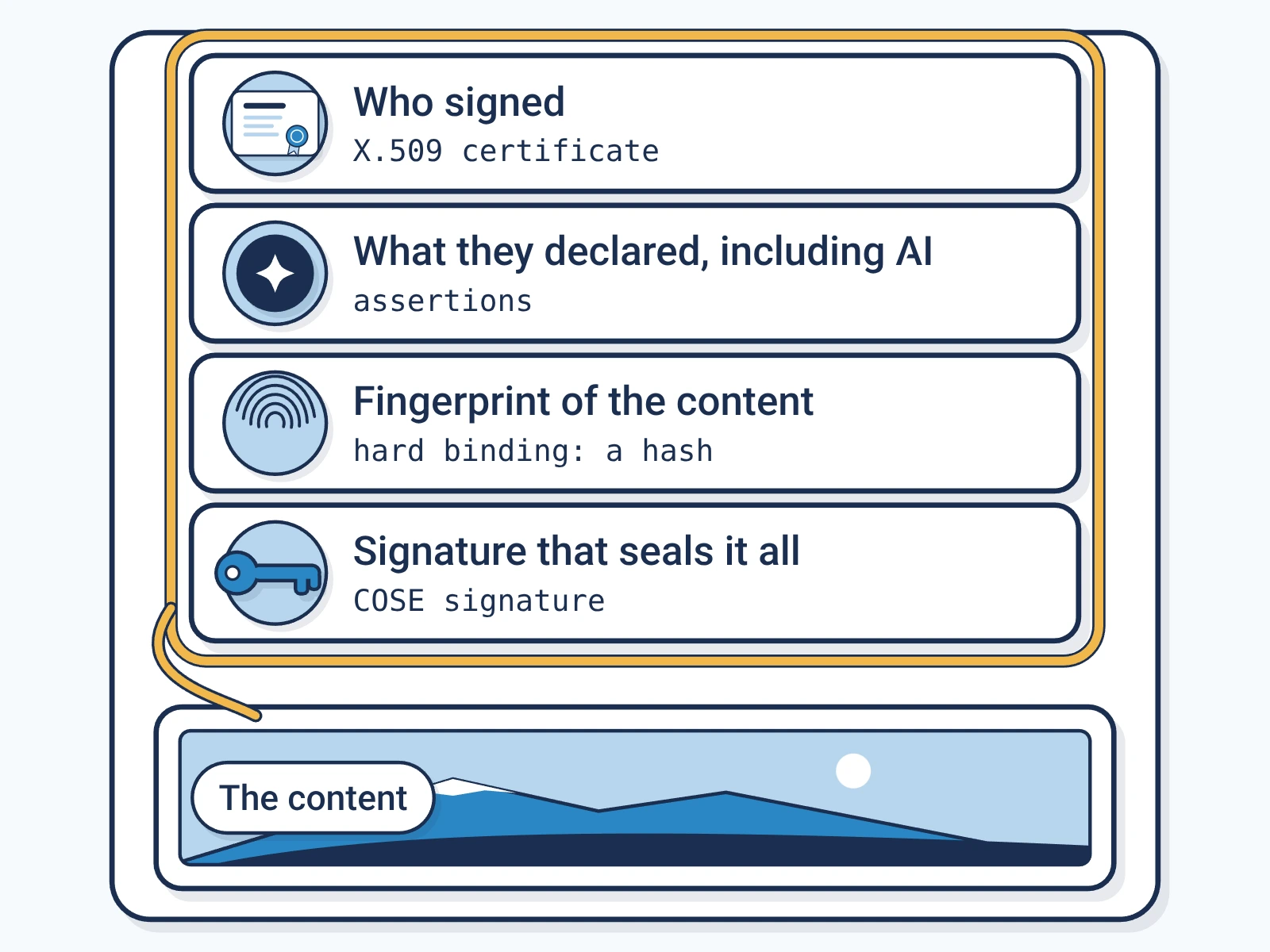
Content provenanceContent provenance: The record of where a piece of content came from and how it changed, carried with the content itself. for MP3 files is a signed C2PA manifestC2PA manifest: The signed label itself: a small package inside a file that records who signed it, what they declared and how to check it. inside the file. Anyone can check who signed it and whether it changed, for free.
- File
- .mp3, MIME typeMIME type: The standard name for a file format, such as image/jpeg or audio/wav, that software uses to decide how to read a file.
audio/mpeg - Where the label sits
- Inside the file, in the tag block at the start of the file, where the title and artist live.
- Standard
- C2PAC2PA: The Coalition for Content Provenance and Authenticity: the group that publishes the open standard for content labels., the open standard for content labels.
- Made for
- Podcasts, Music, Audio news, Audiobooks, Voice recordings
What Encypher supports for MP3
- SignSupported
Encypher signs MP3 files under C2PA 2.2 and 2.4.
- CheckSupported
Free in the browser checker, with no account.
- Formal conformanceSupported
Covered by our C2PA 2.2 conformance record.
How to check a MP3 file
Open the free checker.
It runs in your browser. No account needed.
Open the checkerAdd your MP3 file.
Drop it in or pick it from your device.
Read the result.
It shows who signed and what they declared, such as AI use. It also shows if the file changed.
Where the label sits in a MP3 file
The file starts with an ID3 tagID3: The tag block in an MP3 file that holds its title, artist and other details., a block of details like title and artist. The label is one frame in it.
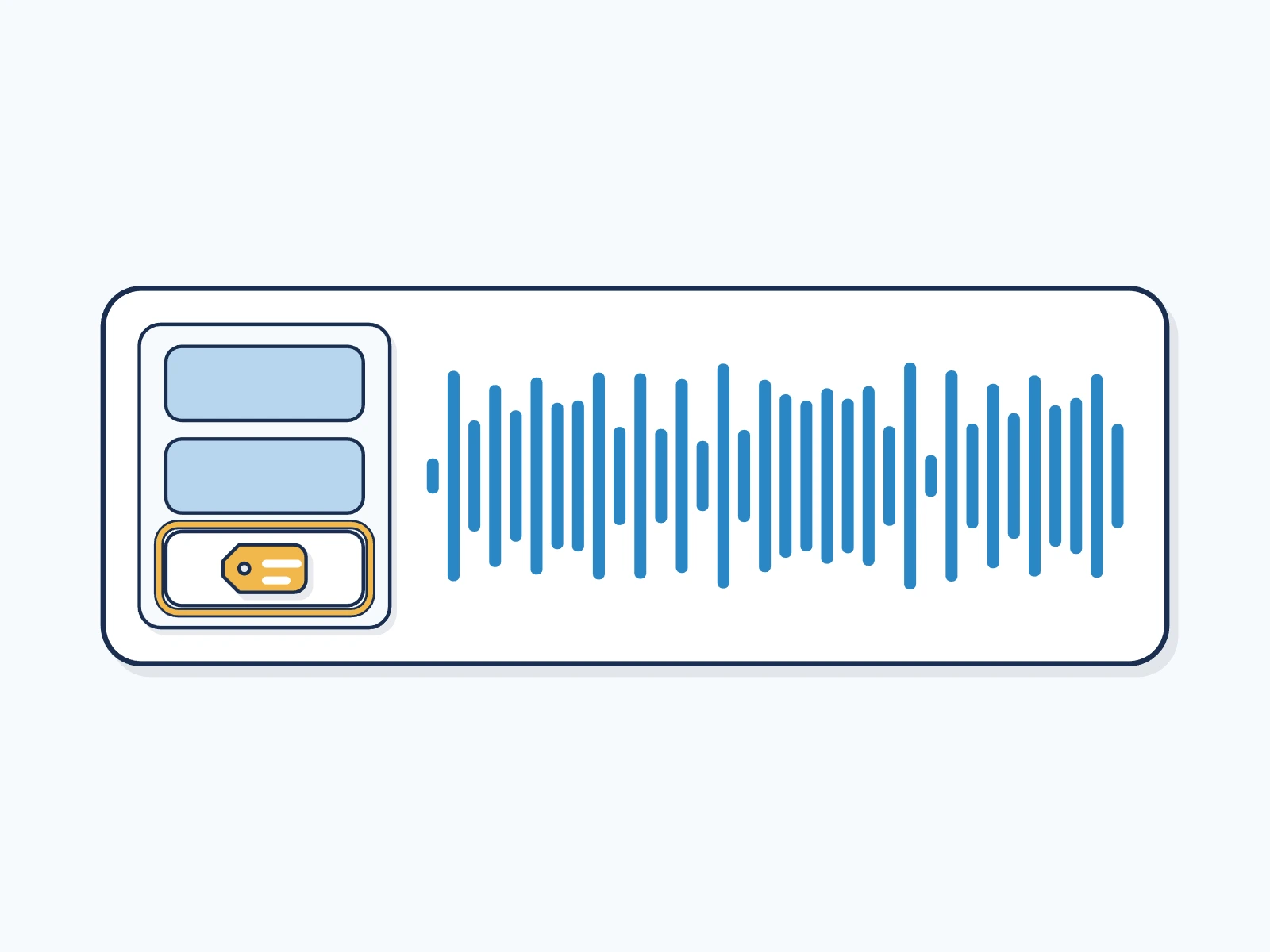
MP3 is the most widely shared audio format. Podcasts, music and voice recordings all travel as MP3.
What keeps the label on a MP3 file
You can add a hidden watermarkWatermark: A mark placed in the content itself, visible or hidden, so it can be found again after the file is copied. when you sign. If a copy loses its label, the watermark can lead back to the record.
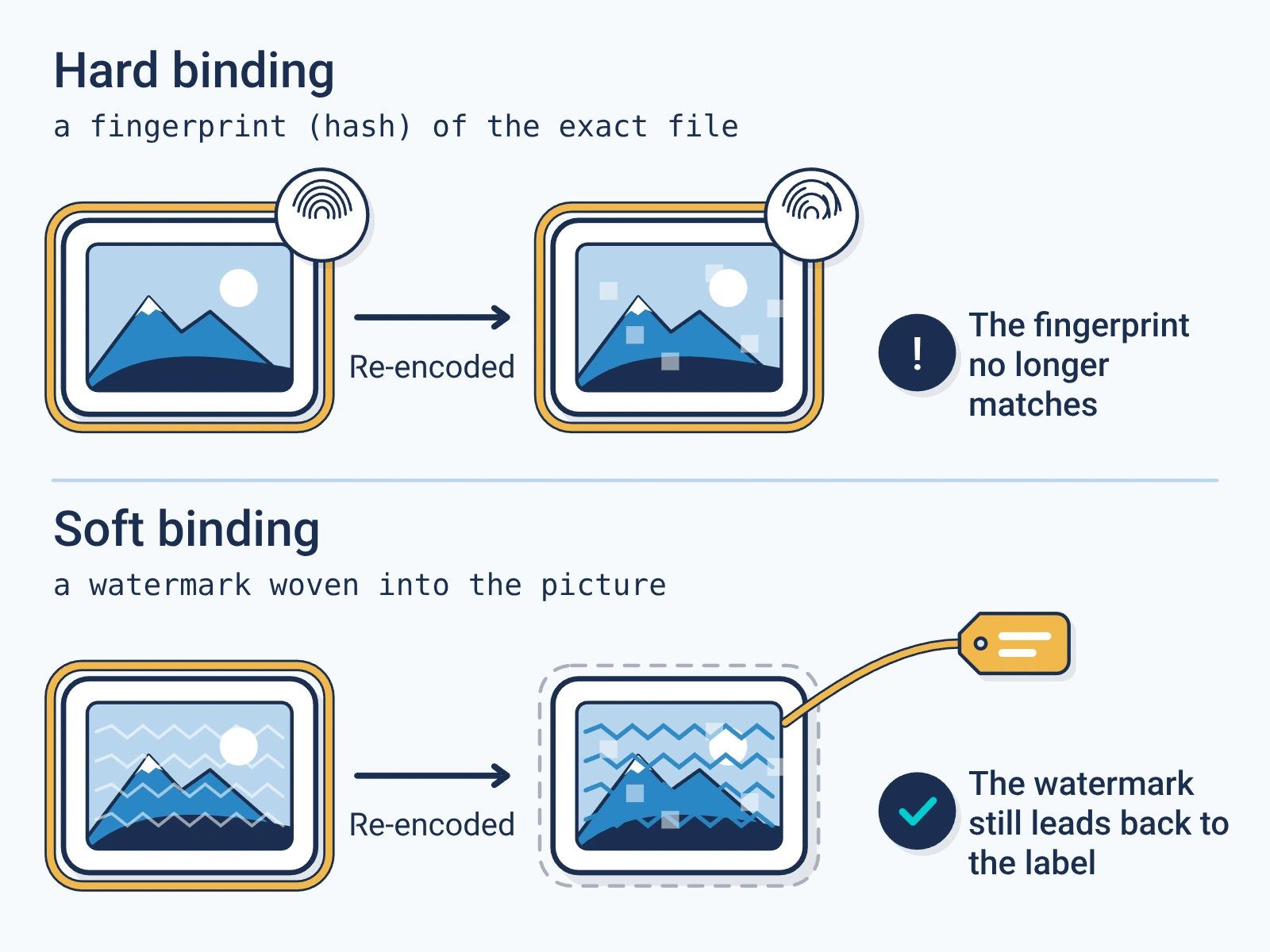
- Copying and moving the file keep the label.
- Editing the sound after signing shows as a change.
- Converting to another format writes a new file without the label, so sign the copy you publish.
For engineers
Show the technical detail
- Embedding
- JUMBF manifest store in an ID3v2 GEOB (general encapsulated object) frame
- Accepted MIME types
- audio/mpeg, audio/mp3, audio/mpa
- Signing versions
- C2PA 2.2, 2.4
- Verification
- Any version. The checker reads any C2PA manifest it can parse, and the report names the version it checked against.
curl -X POST https://api.encypher.com/api/v1/sign/media \
  -H "Authorization: Bearer $ENCYPHER_API_KEY" \
  -H "Idempotency-Key: $(uuidgen)" \
  -F "file=@example.mp3" \
  -F "title=My MP3 file" \
  -F "action=c2pa.created"
curl -X POST https://api.encypher.com/api/v1/public/verify/media \
-F "file=@signed-example.mp3" \
-F "mime_type=audio/mpeg"Support rows come from the live API capability matrix. Full reference: C2PA media types.
Create. Mark. Endure.
Sign your first MP3 file free. Checking stays free for everyone.