

Plain text and data content provenance
A signed C2PA manifestC2PA manifest: The signed label itself: a small package inside a file that records who signed it, what they declared and how to check it. sits inside the text itself, in characters readers do not see. It shows who signed the file and whether it changed, and anyone can check it free.
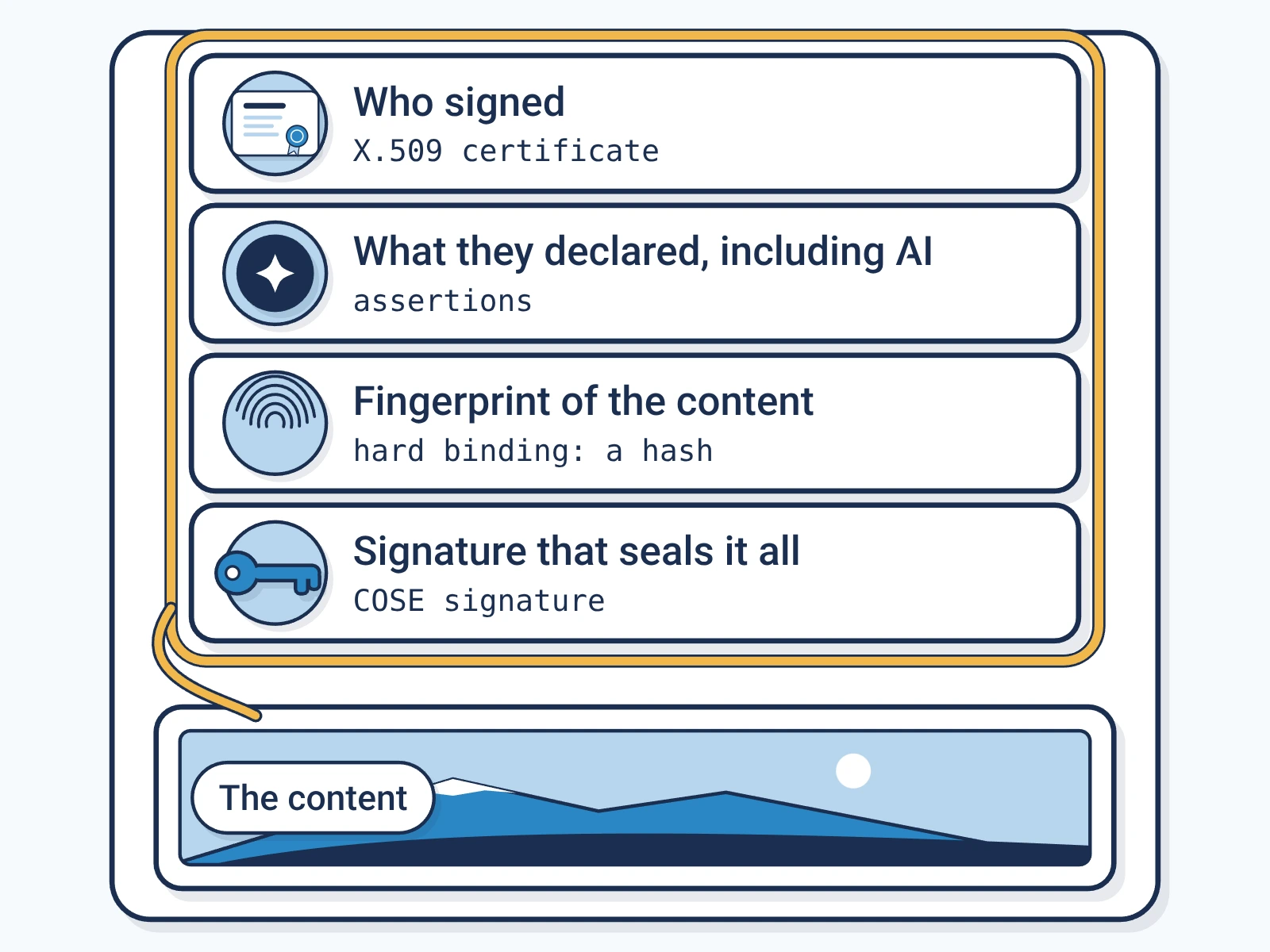
- Formats
- 4 formats that carry the label the same way.
- Where the label sits
- Inside the text itself, in characters readers do not see.
- Standard
- C2PAC2PA: The Coalition for Content Provenance and Authenticity: the group that publishes the open standard for content labels., the open standard for content labels.
- Made for
- Articles and posts, Data exports, Spreadsheet tables, APIAPI: Application programming interface: a way for one program to ask another to do a job, such as sign a file. responses
What Encypher supports for plain text and data files
- SignSupported
Encypher signs all 4 formats on this page, under C2PA 2.4.
- CheckSupported
Free in the browser checker, with no account.
- Formal conformanceNot yet
None is in our formal conformance record. That record is a narrower test than signing and checking.
How to check plain text and data files
Open the free checker.
It runs in your browser. No account needed.
Open the checkerPaste the text or add the file.
Drop it in or pick it from your device.
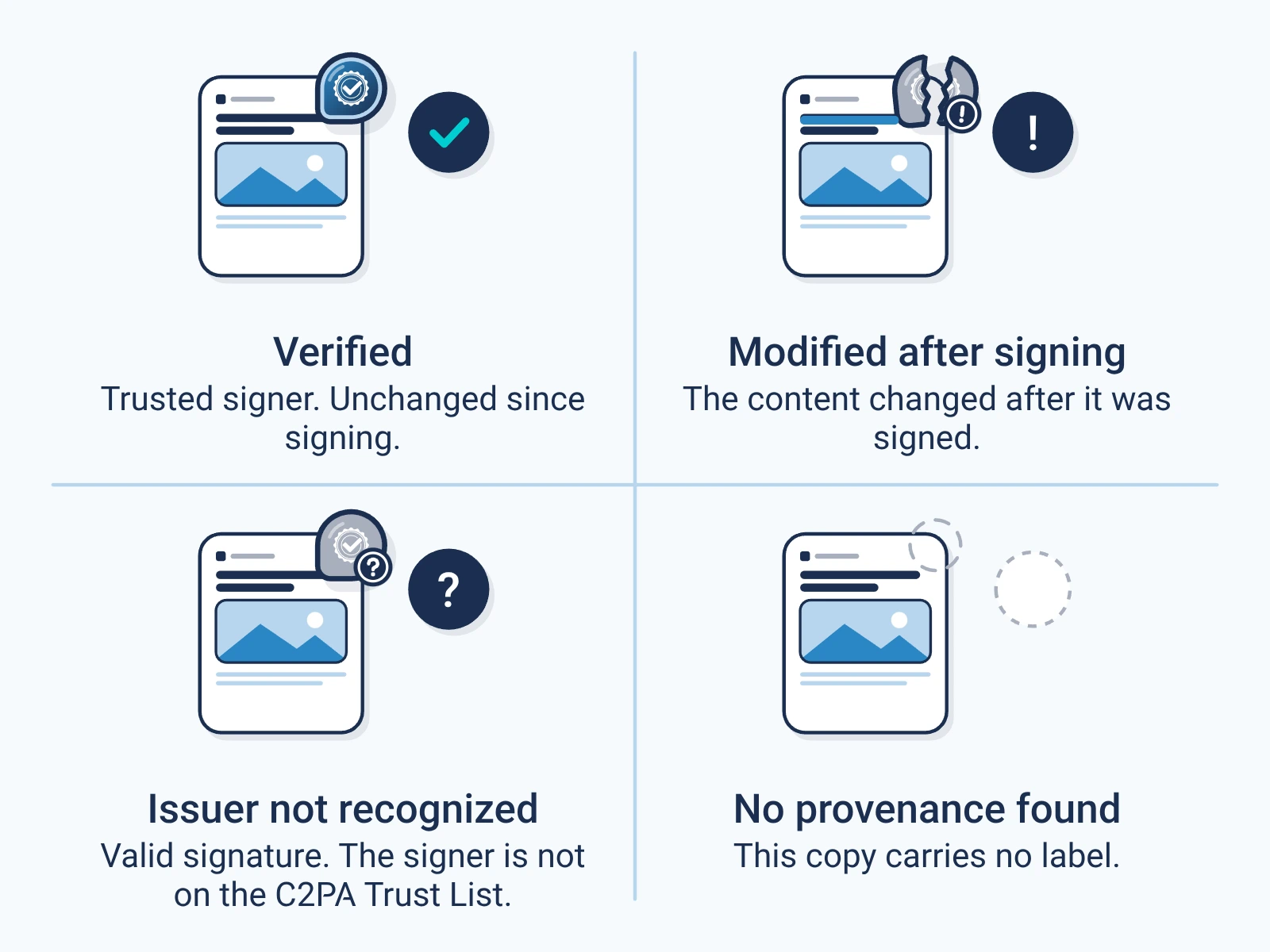
Read the result.
It shows who signed and what they declared, such as AI use. It also shows if the file changed.
The 4 formats this guide covers
Each one carries the label the same way. Each is named with its media typeMIME type: The standard name for a file format, such as image/jpeg or audio/wav, that software uses to decide how to read a file..
| Format | File ending | Sign | Check | Media type |
|---|---|---|---|---|
| Plain text | .txt | Yes | Yes | text/plain |
| CSV | .csv | Yes | Yes | text/csv |
| TSV | .tsv | Yes | Yes | text/tab-separated-values |
| JSON | .json | Yes | Yes | application/json |
Where the label sits in plain text and data files
Plain text, CSV, TSV and JSON have no place for notes or comments. So the label rides in the characters, as in any copied paragraph.
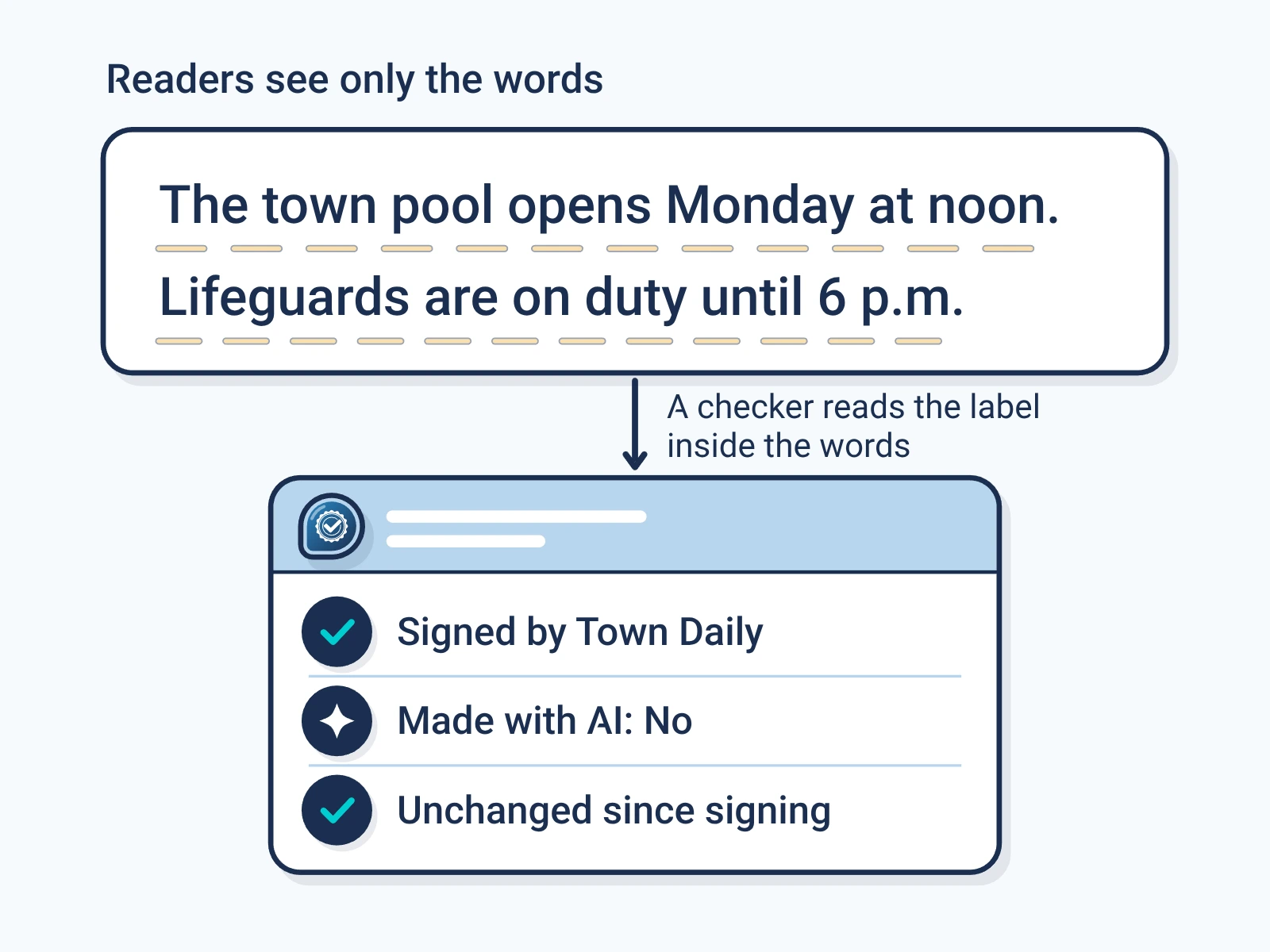
Plain text, CSV and TSV tables and JSON data carry the label inside the text itself, so it copies with the words and values.
What keeps the label on plain text and data files
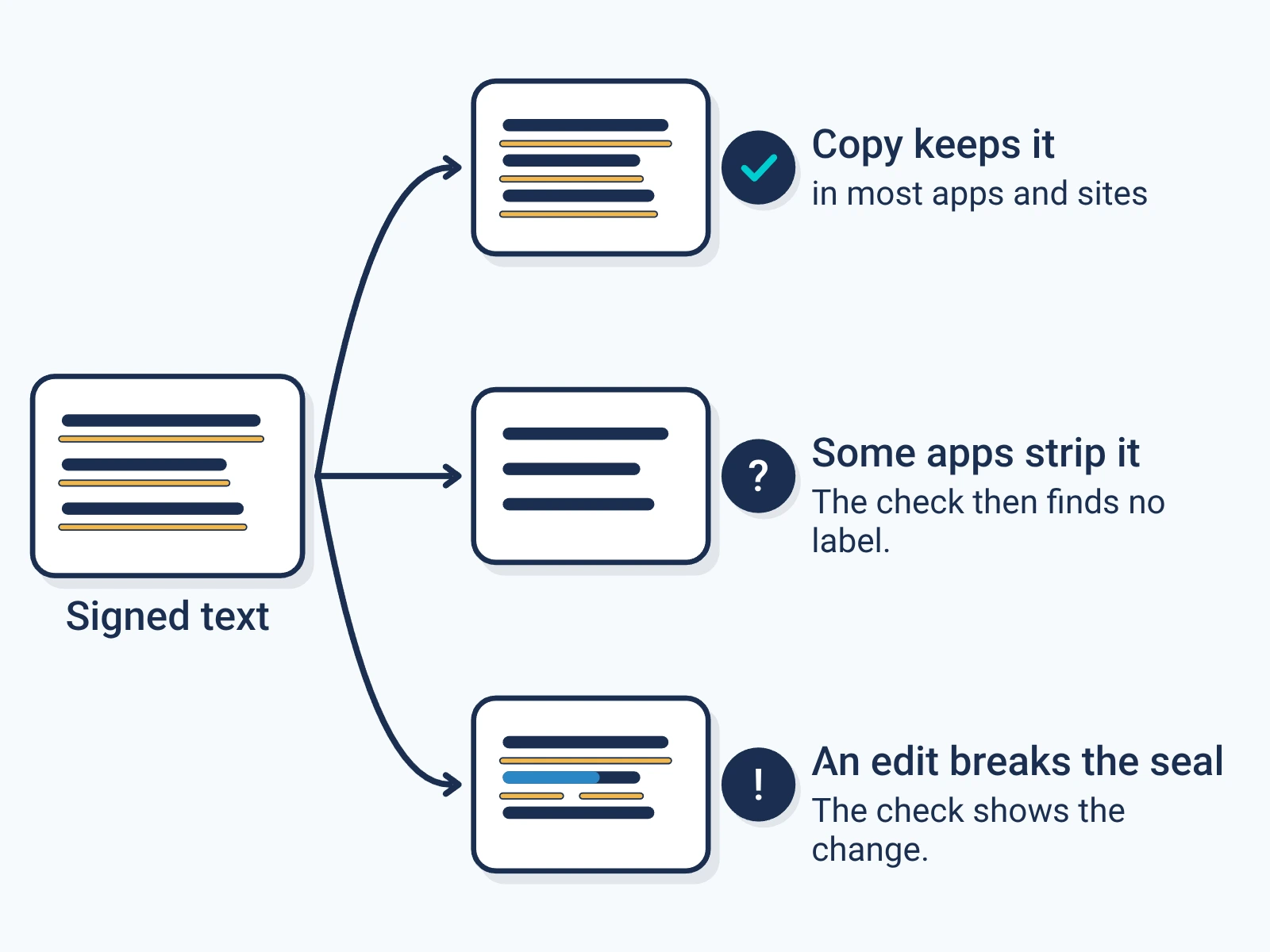
- Copying the text as it is keeps the label.
- Some apps strip hidden characters. Then the check finds no label.
- A tool that rewrites the file, such as a spreadsheet saving a new CSV, writes new characters without the label. Sign the file you publish.
For engineers
Show the technical detail
- Embedding
- C2PA unstructured text embedding (C2PA 2.4 Section A.8). The declared media type is recorded in the claim as dc:format.
- Signing versions
- C2PA 2.4, per format in the live matrix
- Verification
- Any version. The checker reads any C2PA manifest it can parse, and the report names the version it checked against.
| Format | Media type | Sign with |
|---|---|---|
| Plain text | text/plain | POST /api/v1/sign |
| CSV | text/csv | POST /api/v1/sign |
| TSV | text/tab-separated-values | POST /api/v1/sign |
| JSON | application/json | POST /api/v1/sign |
# The signed text comes back in data.document.signed_text.
curl -X POST https://api.encypher.com/api/v1/sign \
  -H "Authorization: Bearer $ENCYPHER_API_KEY" \
  -H "Content-Type: application/json" \
  -H "Idempotency-Key: $(uuidgen)" \
  -d '{"text": "<file contents>", "options": {"content_mime_type": "text/plain"}}'
curl -X POST https://api.encypher.com/api/v1/public/verify \
-H "Content-Type: application/json" \
-d '{"text": "<signed text>"}'Support rows come from the live API capability matrix. Full reference: C2PA media types.
Create. Mark. Endure.
Sign your first plain text and data file free. Checking stays free for everyone.