

How cryptographic watermarking works
Encypher signs your content, hides the signed record inside it, and lets anyone check it later. Text and files hide the record in different places. The check works the same way for both.
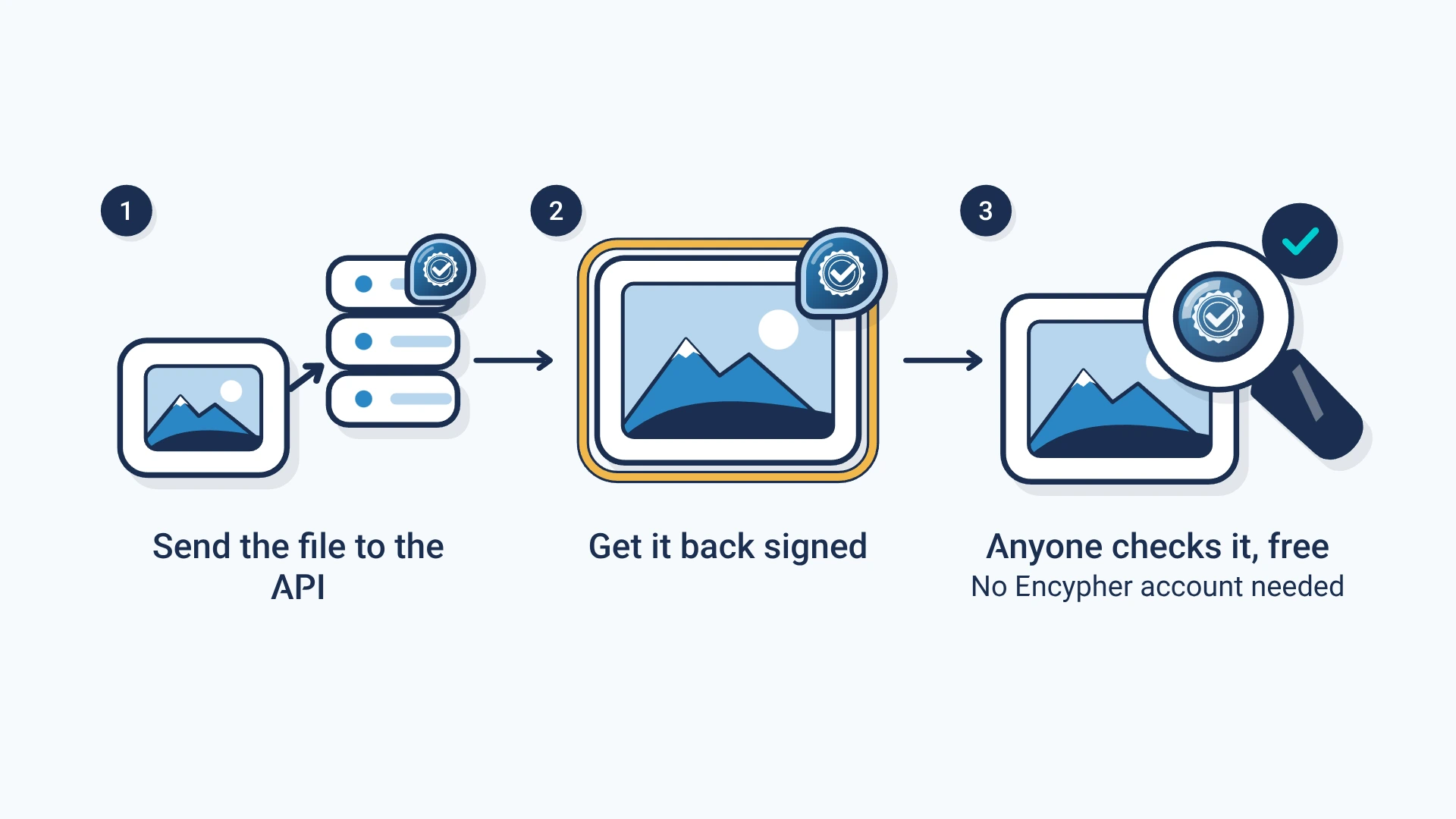
- Sign
- Your words or file get a hashHash: A short fingerprint of exact bytes. Any change, even one character, gives a completely different hash., and your key signs it.
- Hide
- In text, the record becomes characters that draw nothing. In a file, it goes in the file's label space.
- Check
- A checker reads the mark, finds the record and tests the signature.
- Open format
- The record follows C2PAC2PA: The Coalition for Content Provenance and Authenticity: the group that publishes the open standard for content labels., the open standard for content labels.
Three layers, each with its own job
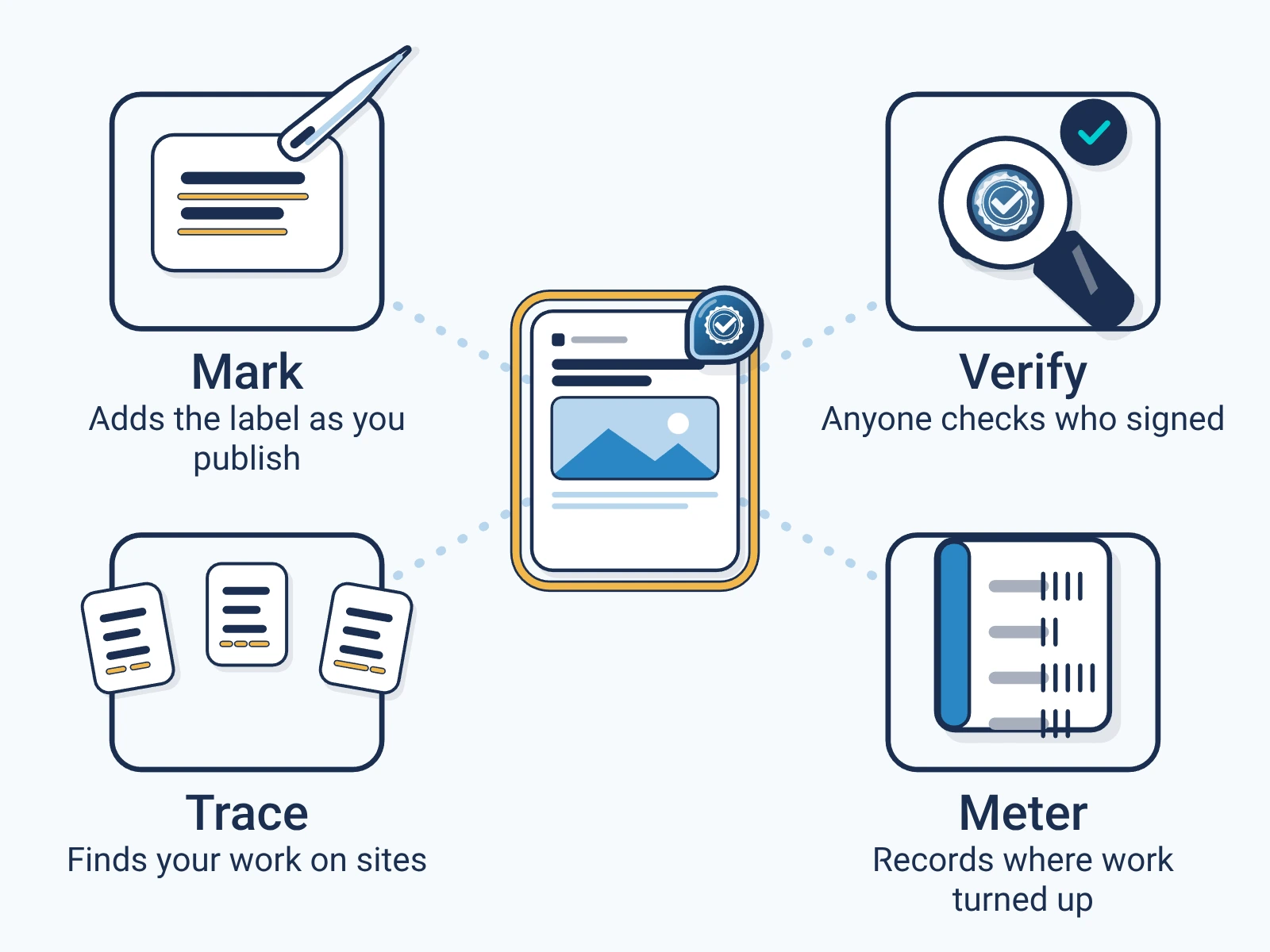
- The C2PA record
- A C2PA manifestC2PA manifest: The signed label itself: a small package inside a file that records who signed it, what they declared and how to check it. holds who signed, when and what they declared. A C2PA reader that supports the format and manifest version can read it.
- The text mark
- Encypher hides the record in text and adds a mark per sentence. Checking a single sentence uses Encypher's public checker.
- Finding copies
- Trace, in early access, watches selected sites for signed work and reports each page where it appears.
Text for the web, and text for Word
Both marks are characters that draw nothing on screen. Pick the one that fits where your text goes.
- The default mark
- Compact, and it repairs small damage. It stays hidden in browsers, Google Docs and most PDFs. Microsoft Word shows it as boxes.
- The Word-safe mark
- Longer, and it stays hidden when text is copied and pasted in Microsoft Word.
- Same check
- The checker looks for both, so you never have to say which one you used.
Sentence by sentence
Encypher can sign each sentence as well as the whole article. So one quoted sentence can be checked on its own, without the rest of the article.
A plain C2PA label covers the whole document at once. The sentence layer is Encypher's, patent-pending, and sits on top of the standard.
Images, audio, video and documents
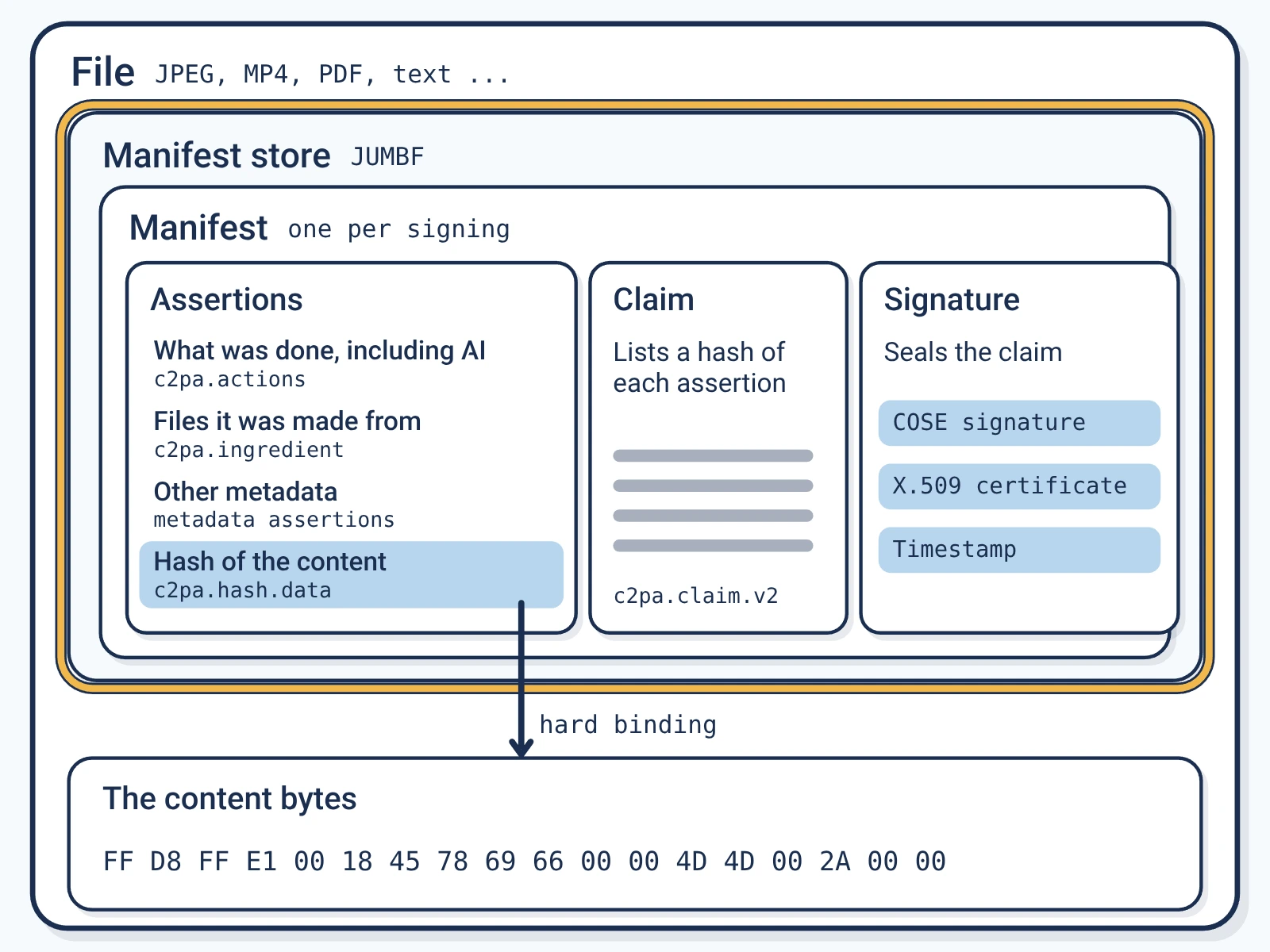
In a file, the C2PA manifest and its statements, called assertionsAssertion: One statement inside a C2PA label, such as what was done to the content, whether AI was used, or the content's hash., go in the spot the format sets aside for them, packed in a JUMBFJUMBF: JPEG Universal Metadata Box Format: the container that holds a C2PA label inside a media file. box. JPEG, PNG, MP4, MOV, WAV, MP3, PDF and Word files all have one. A C2PA reader that supports the format and manifest version can read it, and the check needs no call to Encypher.
A mark that survives print
Hidden characters vanish when text is printed. So Enterprise plans can add a second mark that lives in the printed page. A good print and scan of 193 words or more can be read back.
What a check tells you
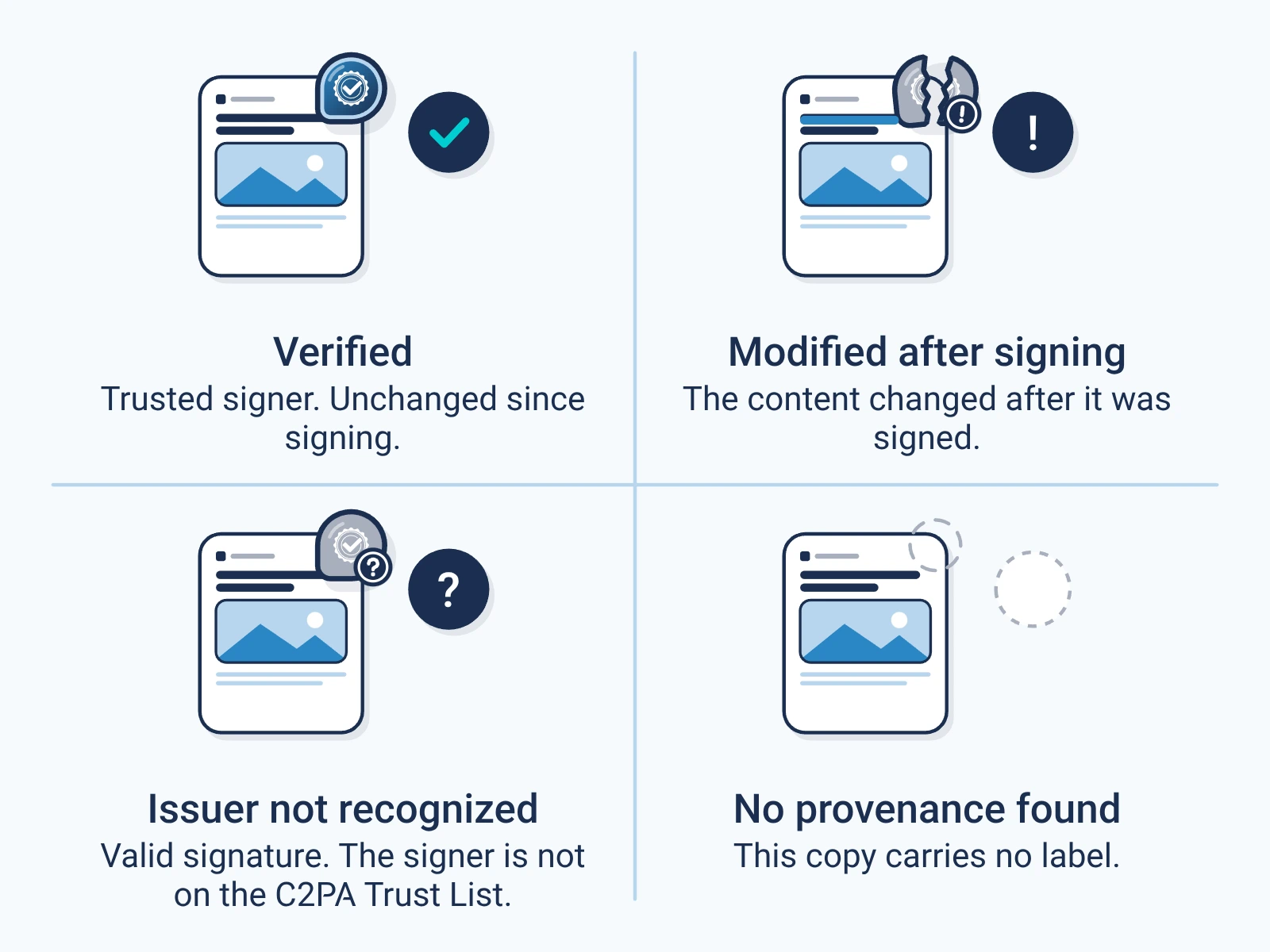
- Valid
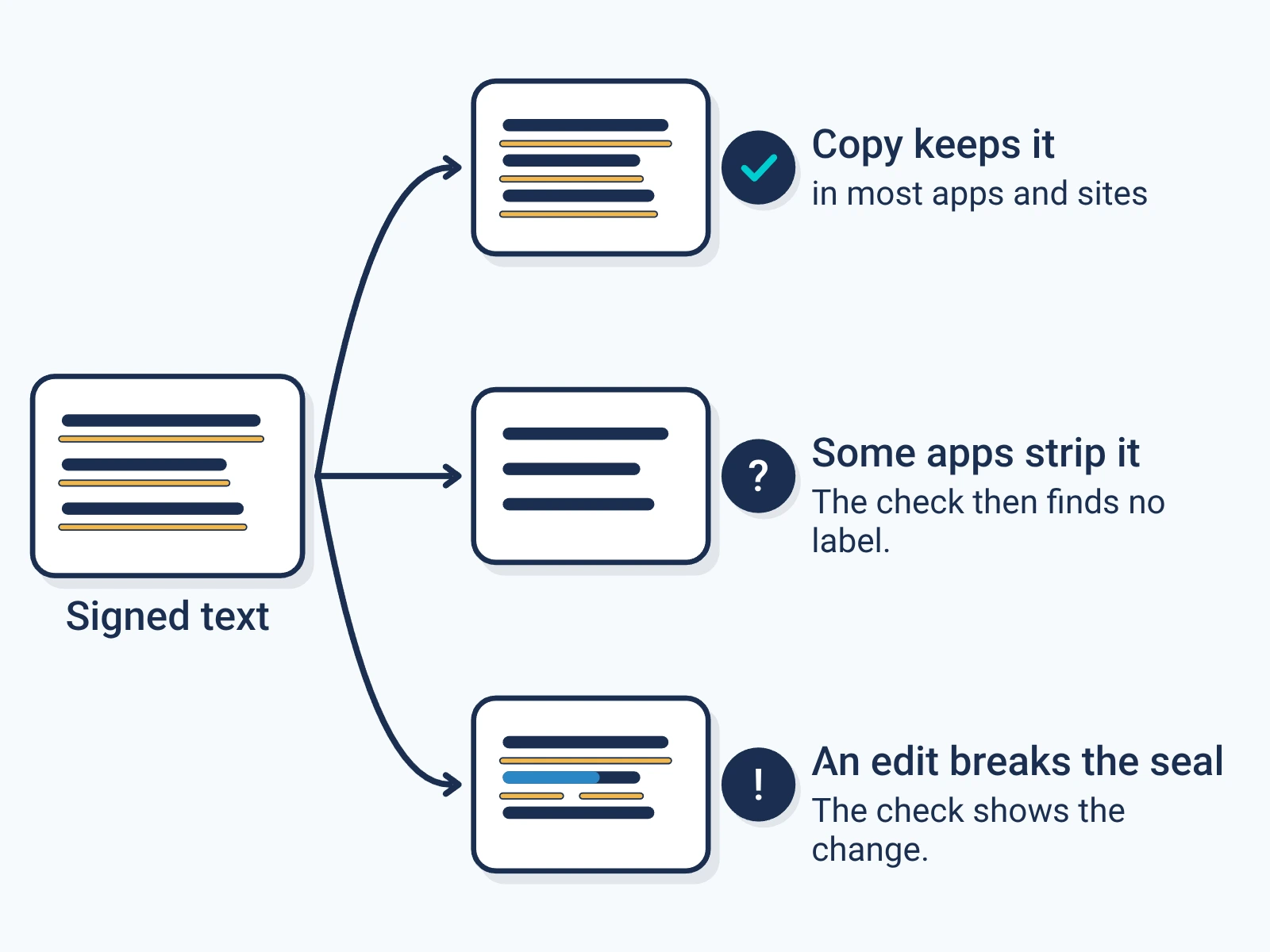
- The mark is there and the content matches what was signed.
- Changed
- The mark is there, but the content no longer matches.
- No mark
- Nothing was found. The content was never signed, or the mark was removed.
For engineers
Show the technical detail
manifest_mode: full embeds one C2PA manifest per document. manifest_mode: micro adds a mark per sentence and can still embed the document manifest (embed_c2pa, on by default). legacy_safe picks the Word-safe text mark. ecc adds error correction, so a mark with a few dropped characters still reads.
curl -X POST https://api.encypher.com/api/v1/sign \
  -H "Authorization: Bearer $API_KEY" \
  -H "Content-Type: application/json" \
  -H "Idempotency-Key: $(uuidgen)" \
  -d '{
    "text": "Article text...",
    "options": { "manifest_mode": "micro", "ecc": true, "legacy_safe": false }
  }'
curl -X POST https://api.encypher.com/api/v1/sign \
-H "Authorization: Bearer $API_KEY" \
-H "Content-Type: application/json" \
-H "Idempotency-Key: $(uuidgen)" \
-d '{
"text": "Article text...",
"options": { "manifest_mode": "micro", "ecc": true, "legacy_safe": true }
}'curl -X POST https://api.encypher.com/api/v1/public/verify \
-H "content-type: application/json" \
-d '{"text": "<text to check>"}'Create. Mark. Endure.
Sign a piece of text free and paste it into the public checker.