

Content provenance on Fastly Compute Sign every article at the edge.
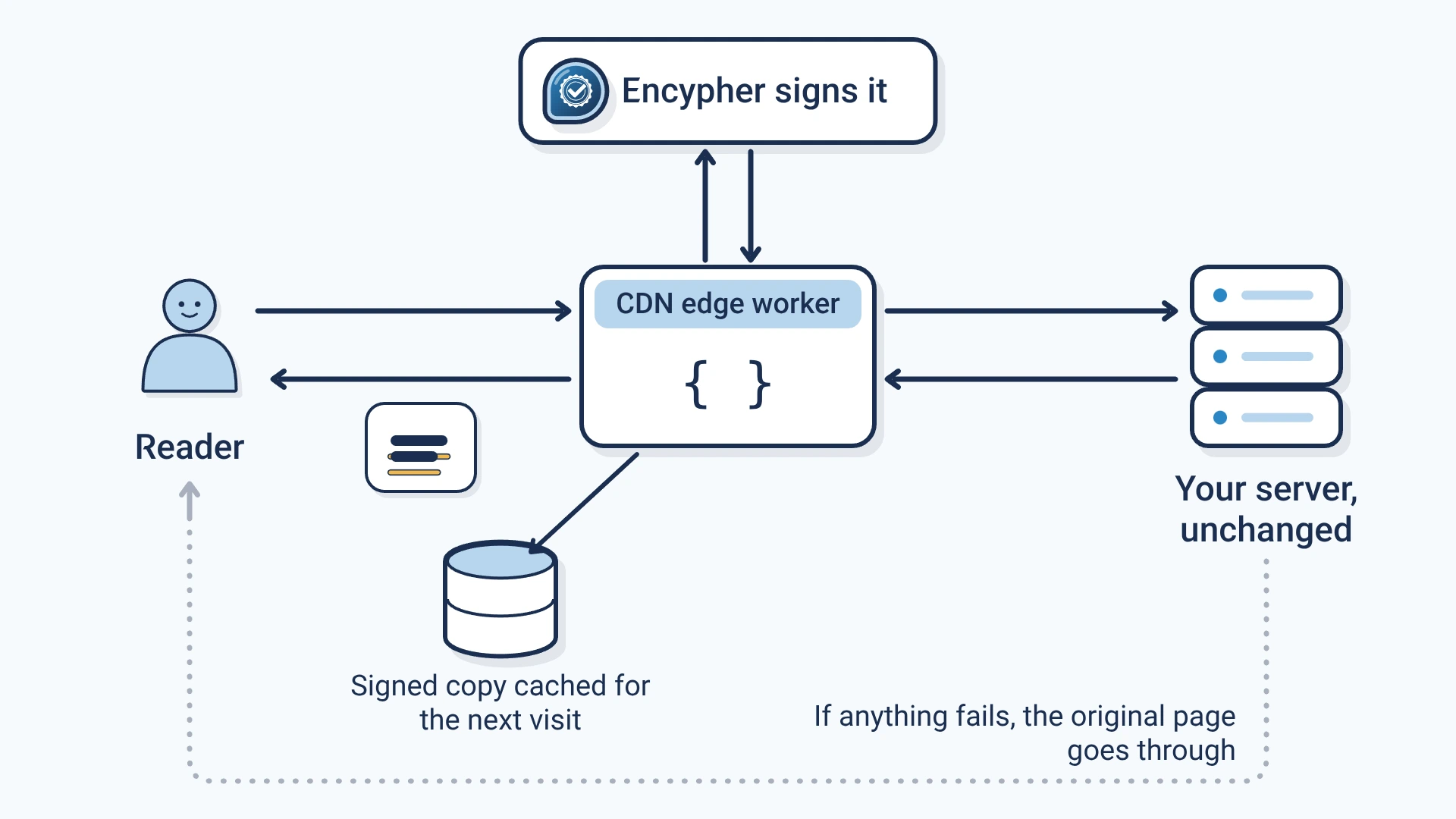
A Fastly Compute service adds a signed label to every article as your CDNCDN: Content delivery network: servers around the world that keep copies of a site close to readers so pages load fast. serves it. The label shows who published the text and whether it changed. Signing is free for publishers.
- A label in every article
- Each article gets content provenanceContent provenance: The record of where a piece of content came from and how it changed, carried with the content itself.: a C2PA manifestC2PA manifest: The signed label itself: a small package inside a file that records who signed it, what they declared and how to check it. and invisible provenance markersProvenance markers: Encypher's general name for invisible characters that carry a signed label inside text. in its text, sentence by sentence.
- Nothing changes at origin
- The edge functionEdge function: A small program that runs on a CDN's servers and can change a page as it passes through to the reader. sits between readers and your origin serverOrigin server: The server where your site's pages are built and stored before a CDN delivers them.. It finds the article on WordPress, Ghost, Substack, Webflow, Hugo and custom HTML.
- Never blocks a page
- It is fail-openFail open: If signing is down, the page is served unsigned instead of failing, so readers never see an error.: if signing fails for any reason, readers get your original page.
- Fast repeat visits
- Signed results are cached in memory and, if you add one, in a Fastly KV Store shared across POPs.
Set it up
Claim your domain
Create a free account and claim your domain. You get a worker credentialWorker credential: A secret key, tied to one verified domain, that lets an Encypher edge worker ask for signatures., a secret key tied to that domain.
Create a free accountAdd two backends
In your Fastly service, add your origin and api.encypher.com as backends named origin and encypher_api.
Publish the service
Put the credential in the encypher_config dictionary as worker_token, then publish.
Check the label
Open an article and look for the header X-Encypher-Provenance: active. Then paste a paragraph into the free checker.
Open the free checker
Copied text keeps the label
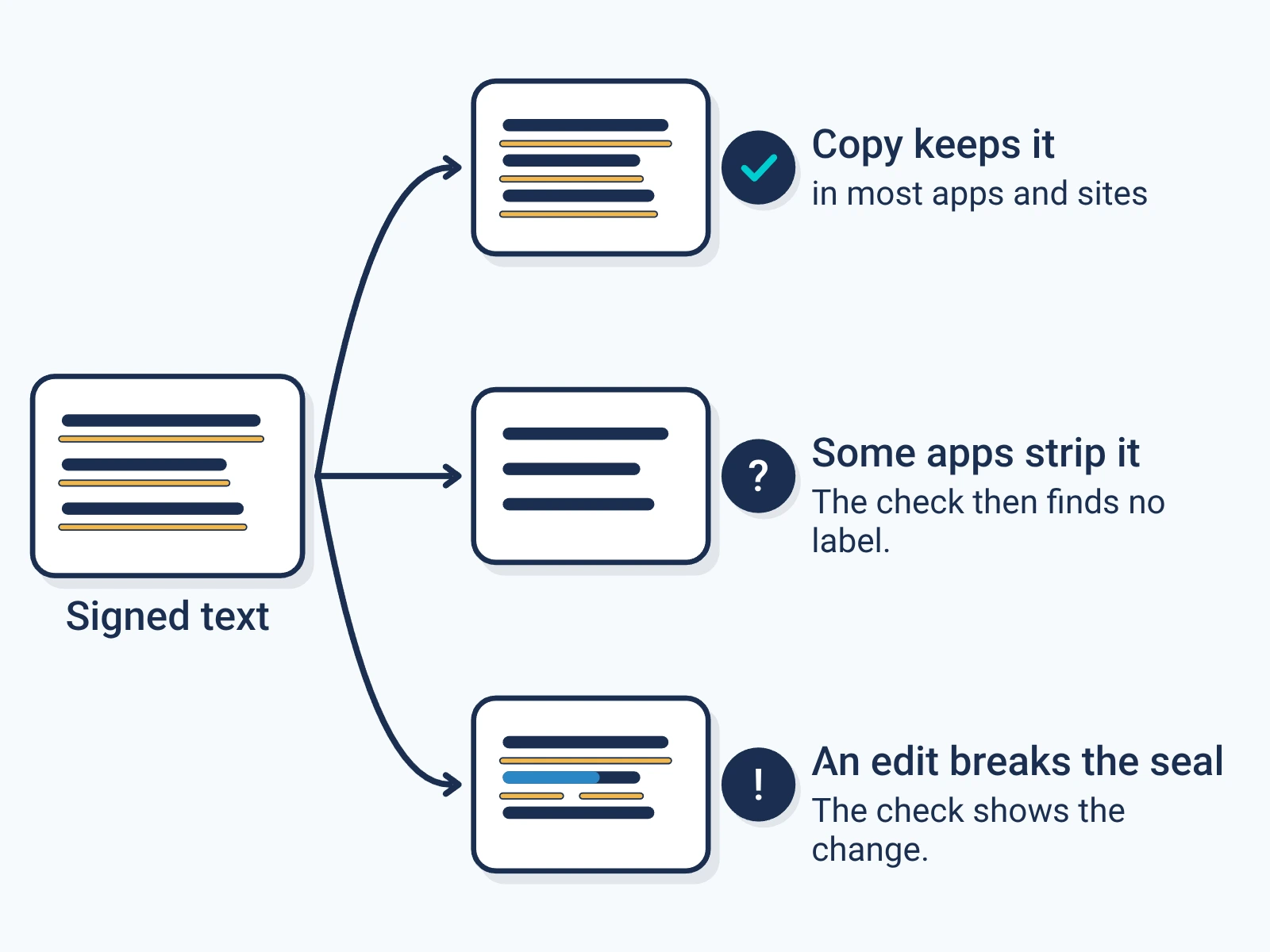
The markers sit between the letters, so they travel when a reader copies a paragraph into a document, a post or an AI prompt.
Some apps strip them. Any edit to the words shows up when the text is checked.
Check a paragraphFor engineers
Show the technical detail
npm install
fastly compute publish

# Local test against fastly.toml [local_server]
fastly compute serve
Edge Dictionary: encypher_config
worker_token <your worker credential> required
article_selector .story-body optional
kv_store_name encypher_provenance_cache optional, shared cache
api_key <enterprise API key> optional# Signed pages carry this header
curl -sI https://yourdomain.com/your-article | grep -i x-encypher
# X-Encypher-Provenance: active
# Domain status: your domain token and org ID
curl -s https://yourdomain.com/.well-known/encypher-verify- Article detection
- Eight checks in order: your selector override, the <article> tag, common CMS classes, Schema.org articleBody, <main>, JSON-LD, the densest paragraph cluster, then <body>.
- What is sent
- Only the visible article text, up to 51,200 characters by default. The API returns an embedding plan, and the worker writes the markers into the HTML at those positions.
- Status header
- X-Encypher-Provenance is active on a signed page, or skipped:oversized, skipped:empty or skipped:error when the page passes through unchanged.
- Backends
- Names must match exactly: origin for your server, encypher_api for api.encypher.com over TLS on port 443.
- Cache
- Level one is an in-process map per isolate. Set kv_store_name to add a Fastly KV Store as a shared second level.